Make Your Data Transfer between Android and iPhone Easier.

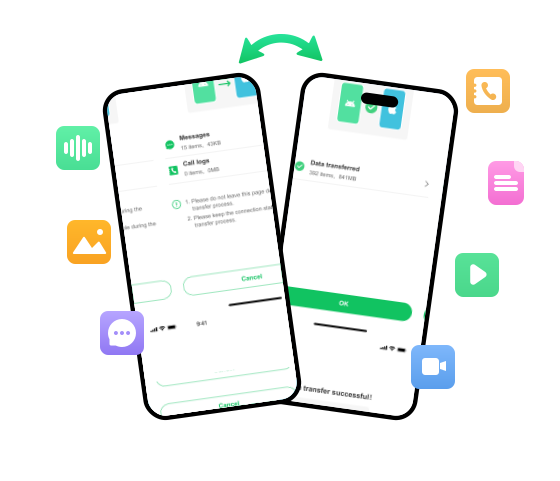
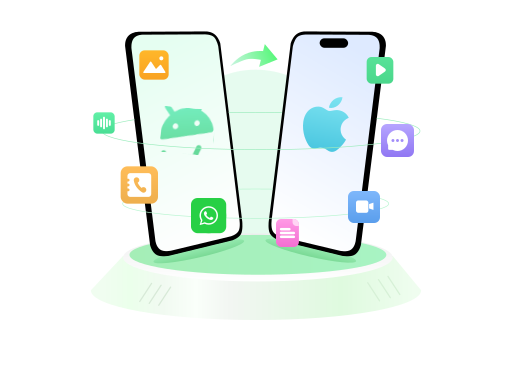
Moving to a new phone? WatsGo provides a guided way to transfer supported data between Android and iPhone. The app is designed to make device-to-device transfer simple and easy to follow.

Trademark Notice: WhatsApp is a trademark of WhatsApp LLC. WatsGo is an independent third-party product and is not affiliated with, endorsed by, or sponsored by WhatsApp LLC or Meta Platforms, Inc.

chatsgo phone transfer

Transfer Your Data with a Guided Workflow.

Explore the supported transfer features available when moving data between Android and iPhone with WatsGo.

Move Data Between Android and iPhone Directly

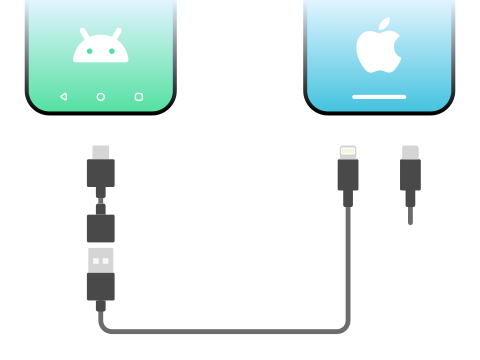
Connect your Android and iPhone with a compatible USB-C, Lightning, or OTG connection and follow the in-app steps to transfer supported data between devices.
chatsgo connect android iphone
Note: An OTG or On The Go adapter (sometimes called an OTG cable, or OTG connector) connect devices with different types of USB ports.

Transfer Supported Data without a Factory Reset

WatsGo supports guided transfer of compatible data between Android and iPhone without requiring a factory reset as part of the WatsGo transfer workflow.

chatsgo wont factory reset iphone

Transfer Supported Chat Data Between Devices

WatsGo supports transferring compatible WhatsApp and WhatsApp Business data between supported Android and iPhone devices through a guided workflow.

transfer whatsapp

Transfer Supported Messages, Call Logs, and Files

Move supported messages, call logs, media, documents, and other compatible data types between devices.

  • images Images: JPG, JPEG, PNG, GIF, iCO, BMP, TIFF, SVG, thumb, webp, ico, gif, psd, Exif, bmp
  • Videos Videos: MOV, MP4, AVI, FLV, M4V, MKV, RMVB, WMV, WebM
  • Documents Documents: TXT, EPUB, PDF, mobi, Word(doc/docx), Excel(xls、/xlsx), PowerPoint(ppt、pptx), csv, vcf, xml, rar, zip, html, apk, EPUB, CAJ, CHM
  • Audio files Audio files: WAV, MP3, WMA, OGG, APE, MID, AAC, AMR, M4R, M4A, M4B, FLAC, AIFF, OPUS, Caf, WavPack(WV)
transfer whatsapp

Use WatsGo in Multiple Languages

WatsGo is available in 16 interface languages for users in different regions.

English Français Deutsch Español Português Italiano Русский العربية 简体中文 繁體中文 日本語 Bahasa Indonesia हिन्दी Tiếng Việt Filipino Bahasa Melayu
chatsgo language supported
compatible devices
Compatible Devices
  • Android: Samsung Galaxy S26, Xiaomi, Samsung Tablet, Redmi Note, Huawei, OPPO, vivo, OnePlus, Motorola, Sony, LG, Realme, Micromax, ZTE, Google Pixel
  • iPhone: iPhone 6 Plus and above
compatoble os
Compatible OS
  • Android: Android 9 and above
  • iPhone: iOS 13 and above

Discover the Steps to Transfer Data between Phones with WatsGo

Follow the guided steps below to transfer supported phone data or compatible WhatsApp data between Android and iPhone.

Data transfer step 1
Step 1

Download and install WatsGo, then select "Phone to Phone".

Data transfer step 2
Step 2

Before you choose the data you want to transfer, please allow access to your original device.

Data transfer step 3
Step 3

Follow the tutorial on your target device to establish a connection for file transfer.

Data transfer step 4
Step 4

After a while, the two apps start to transfer data from Android to iPhone within minutes.

Trademark & Affiliation Disclaimer: WhatsApp® and WhatsApp Business® are trademarks of WhatsApp LLC. WatsGo is an independent third-party software product developed by iToolab and is not affiliated with, endorsed by, sponsored by, or officially associated with WhatsApp LLC or Meta Platforms, Inc. References to WhatsApp and other third-party brands are used solely to describe compatibility and supported features.
download chatsgo phone transfer
chatsgo
WatsGo - Phone Transfer

Transfer Supported Data from Android to iPhone with WatsGo.