

The most common cause of SD card failure is file system corruption, which requires a format. Careless recovery efforts may permanently overwrite the data when photos, videos, or documents have been lost. Safe data recovery with professional SD card recovery software is much more favorable and does not involve the risk of an irreversible loss.
These tools are very necessary for recovering deleted camera photos, data from a damaged Android micro SD card, and formatted memory card. In this article, we will discuss the best SD memory card recovery software to recover files with certainty.
How We Picked the Best SD Card Recovery Software
To pick the most appropriate SD card recovery software, it is essential to test it further than it was promoted. We concentrated on the effectiveness of every SD card recovery tool in restoring the lost files under real-life circumstances. The success rate of recovery was determined through accuracy and file integrity upon restoration.
Comparison: Best SD Card Recovery Software
Top 5 SD Card File Recovery Software Reviews
The following are the best SD card data recovery software in 2026.
- Tool 1: iToolab RecoverGo Windows Data Recovery
- Tool 2: Disk Drill
- Tool 3: Recuva
- Tool 4: EaseUS Data Recovery Wizard
- Tool 5: Wondershare Recoverit
Tool 1: iToolab RecoverGo Windows Data Recovery
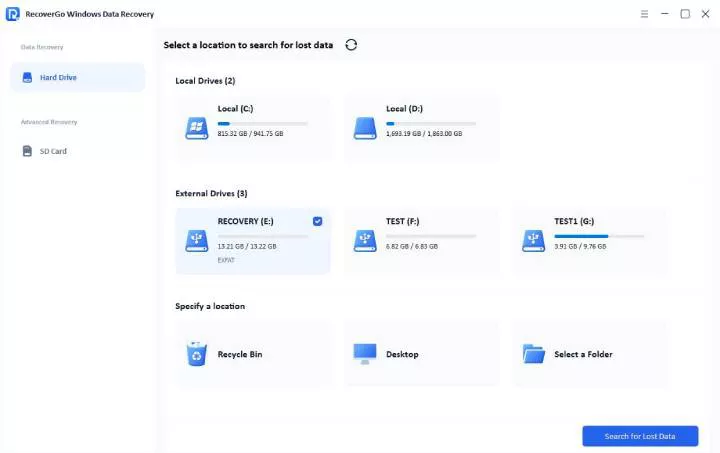
iToolab RecoverGo Windows Data Recovery is an all-purpose SD card recovery software. It recovers deleted files from corrupted or formatted SD cards, cameras, USB drives, and hard drives. The software operates on deep scanning to find lost files. Novices and experts can count on its easy-to-use interface. File previews guarantee secured recovery prior to purchase.
Key Features
- Deep scanning for fragmented and RAW partitions.
- Supports SD cards from all brands.
- Data recovery can be completed in three steps.
- High recovery success rate.
- Broad device and file type support.
- Deep scanning for inaccessible partitions.
- Easy-to-use, beginner-friendly workflow.
- Scanning speed can vary depending on SD card size.
Tester’s Verdict
Perfect for those who desire the ability to recover with high precision, along with the capability to support professional RAW and high-resolution video.
Tool 2: Disk Drill
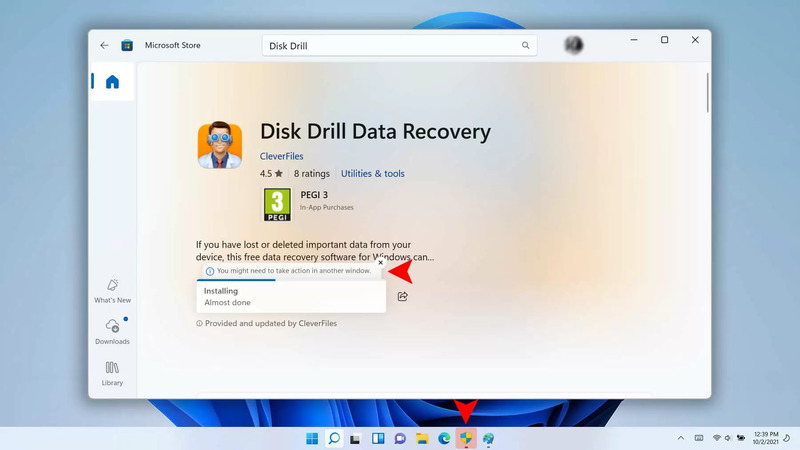
Disk Drill is one of the most popular SD card recovery programs with a sleek and current interface and a robust overall recovery framework. It allows users to recover data from SD cards and numerous other devices, preview files, and recover up to 500 MB at no cost on Windows.
Key Features
- High recovery success rate with advanced scanning algorithms.
- Modern, intuitive UI for easy navigation on Windows and macOS.
- Supports recovering dozens of file formats from SD, USB, and more.
- Offers quick scans and deep scans.
- User-friendly and polished interface.
- Broad device and file format support.
- Preview found files before recovery.
- Free version limited to 500 MB of recovery on Windows.
- Full capabilities require a Pro license.
- Some advanced features (e.g., mobile data recovery) are limited.
Tester’s Verdict
Best overall SD card recovery software for users seeking a modern interface, reliable file repair, and free file previews.
Tool 3: Recuva
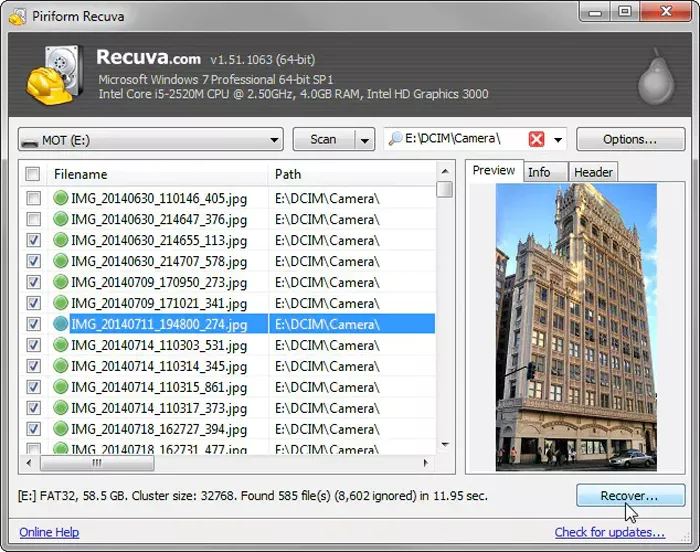
Recuva is a free Windows-only SD card recovery utility that restores deleted documents, videos, and images without any data recovery restrictions. Its basic deep scan and simple wizard make it easier and more accessible to general users who require fast recovery of memory card files.
Key Features
- Free unlimited file recovery on Windows with quick and deep scan options.
- Lightweight, easy wizard-style interface for beginners.
- Supports SD cards, USB drives, and removable storage.
- Preview files before recovery.
- 100% free for personal use with no hidden limits.
- Good for recovering recently deleted common files.
- Simple UI and lightweight install.
- Limited deep scanning and recovery effectiveness compared with modern tools.
- No support for macOS or mobile devices.
- Outdated interface and slow for complex recovery scenarios.
Tester’s Verdict
Best free SD card recovery software for Windows users who require simple recovery without paying, but it lacks powerful scanning ability.
Tool 4: EaseUS Data Recovery Wizard
EaseUS Data Recovery Wizard is a user-friendly SD card recovery program. Its wizard-style interface guides users through the process of scanning and restoring lost files. The straightforward design enables beginners to go through recovery easily.
Key Features
- Intuitive wizard-style interface for step-by-step recovery.
- Free recovery up to 2 GB (Windows) with easy unlock steps.
- Supports recovery from SD cards, USB drives, and more.
- Quick and Deep Scan options for thorough searching.

- Very easy for beginners to understand and use.
- Free recovery up to 2 GB before purchase.
- Preview files before restoring them.
- Some advanced features are reserved for the Pro version.
- Performance can be slower on large drives.
- Some users report that EaseUS products include bloatware or aggressive ads.
Tester’s Verdict
Most recommended for the novice user who wants a step-by-step SD card recovery with an easy-to-use free recovery limit.
Tool 5: Wondershare Recoverit
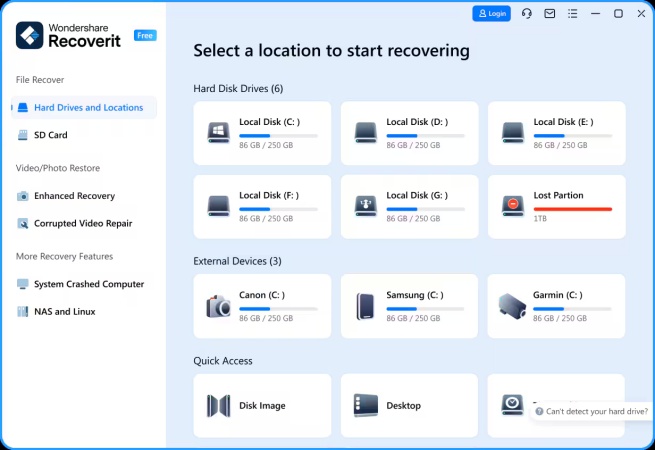
Wondershare Recoverit is a complete SD card recovery software that has advanced video recovery technology in the industry. It recovers deleted, corrupt, or lost videos on SD cards with high levels of success. It has patented algorithms capable of identifying and recombining fragmented video files into playable files.
Key Features
- Advanced video recovery to rebuild fragmented HD, 4K, and 8K videos by merging scattered pieces into complete files.
- Supports 500+ video formats and professional camera footage (e.g., ARI, BRAW).
- Deep scan technology for thorough sector-level recovery on formatted or damaged SD cards.
- Preview before recovery and intuitive UI for streamlined workflows.
- Excellent for restoring large video files and fragmented footage.
- Works with a wide range of devices (cameras, drones, GoPro).
- High recovery success rate and modern interface.
- Premium license required for full recovery features.
- Performance varies with very fragmented or overwritten data.
- Some advanced options may be overwhelming for casual users.
Tester’s Verdict
Ideal for videographers and creators who require mighty tools to restore and restructure the intricate, high-quality video files on SD cards.
Testing Scenarios: Does the Software Work for Formatted or Corrupted SD Cards?
Accidental formatting destroys file system pointers, but most likely does not destroy data. The best SD card recovery software may find lost files using a deep scan. Software such as iToolab RecoverGo, Stellar Data Recovery, Wondershare Recoverit, and PhotoRec can retrieve photos, videos, and documents even after complete SD card formatting.
A damaged file system is shown in a RAW card or a non-readable SD card. The hi-tech tools such as iToolab RecoverGo, DiskGenius, Test Disc, and R-Studio, build partitions and salvage invisible data. Other tools, such as EaseUS Data Recovery Wizard or Recoverit, can easily work with corrupted cards as well, and balance ease of usability with solid RAW and unreadable cards recovery.
FAQs
Is there a 100% free SD card recovery program?
While open-source tools like PhotoRec and TestDisk offer free, unlimited SD card recovery, they lack user-friendly interfaces and require higher technical skills.
What should I do if my SD card is physically damaged?
If an SD card is physically damaged, software recovery is ineffective and may worsen the situation. It is best to stop using the card and seek professional repair services.
Why are some recovered files corrupted or unable to open?
Data corruption may occur during recovery due to overlapping data or impaired sectors, particularly in deep scans of large media files. Consequently, some file integrity may be lost.
Conclusion
These are the best SD card recovery programs to recover deleted files. The majority of tools process both unintentional formatting and RAW/unreadable cards. Physical damage, a broken card, restricts the possibility of recovery. Professional-grade software is more likely to be successful, in-depth at scanning, and provides safe restoration. Among these, iToolab RecoverGo Windows Data Recovery is highly recommended for professional-grade scanning depth and superior success rate in safely retrieving data. Free download the best SD card data recovery software to check if your precious data is recoverable.