SEE PRICING
 100% Clean & Safe








Accidental Deletion
Accidental Deletion
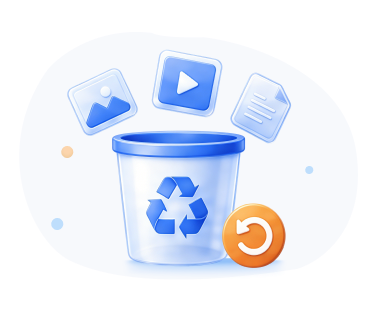
A wrong click, a hurried keystroke, or a moment of distraction - your files are gone. RecoverGo can bring your files back even if you hit Shift+Delete.
RecoverGo Windows Data Recovery

Data loss impacts millions of people each year. Despite the rapid development of technology in the past decade, all storage devices can still fail at some point. This sudden data loss is inevitable. But no matter how you lost your valuable data, it's possible to recover it with RecoverGo Windows Data Recovery.
Accidental Deletion
A wrong click, a hurried keystroke, or a moment of distraction - your files are gone. RecoverGo can bring your files back even if you hit Shift+Delete.
Emptied Recycle Bin
Files deleted from Recycle Bin are still recoverable until overwritten. With RecoverGo, you can recover those files even after you've emptied the Recycle Bin.
Formatted Drive
A quick format doesn't erase your data - it just marks the space as available. RecoverGo utilizes three modes to scan your drive and recovers what was lost.
Unreadable SD Card
SD card unreadable or not recognized? Stop using it immediately and don't format it. RecoverGo can still recover your valuable photos and videos before it's too late.
RAW File System
When a drive becomes RAW, the file system is unreadable. But your data is still there. RecoverGo bypasses the damaged file system and recovers your files without formatting.
Lost Partition
RecoverGo helps you recover data from lost partitions - even when they show up as unallocated space in Disk Management.
Unmounted Partition
Unmounted partitions are physically present but not accessible in File Explorer. RecoverGo bypasses the mount point and recovers files directly from the raw data.
Disk Unknown
When a drive is Unknown and Not Initialized, the partition table is missing or damaged. RecoverGo scans the whole disk and recovers files directly from the drive.
RecoverGo Windows Data Recovery can recover lost or deleted data from HDDs, SSDs, external hard drives, USB flash drives, SD cards, digital cameras, and many other storage devices.
Fully compatible with all computers/laptops running Windows 11/10/8/7. All brands are supported, for example, Dell, HP, ASUS, Acer, Lenovo, Toshiba, etc.
No matter your hard drive is damaged or infected by malware, RecoverGo can easily get your data back from all brands, including Seagate, Western Digital, more.
It's convenient to store data on a USB flash drive, but it can suddenly become corrupted. RecoverGo Windows Data Recovery is the best USB data recovery software.
With RecoverGo Windows Data Recovery, it's possible to recover any type of files from SD cards. It's the most effective and user-friendly tool to recover data from SD cards.
Did you accidentally delete photos or videos from your digital camera? Try RecoverGo Windows Data Recovery. It supports all major brands, such as, Canon, Nikon, SONY, Fujifilm, etc.
In addition to the mentioned ones, RecoverGo Windows Data Recovery can recover data from a wide range of data storage devices with the file systems NTFS, FAT32, exFAT, more.
RecoverGo Windows Data Recovery can retrieve all permanently deleted files types and formats, including photos, videos, documents, audios, emails, archives, and more.

JPG/JPEG, TIFF/TIF, PNG, BMP, GIF, PSD, CRW, CR2, NEF, ORF, SR2, MRW, DCR, WMF, RAW, SWF, SVG, RAF, DNG, etc.

DOC/DOCX, XLS/XLSX, PPT/PPTX, PDF, CWK, HTML/HTM, INDD, EPS, etc.

AVI, MOV, MP4, M4V, 3GP, 3G2, WMV, MKV, ASF, FLV, SWF, MPG, RM/RMVB, MPEG, etc.

M4A, MP3, WAV, WMA, APE, MID/MIDI, RealAudio, VQF, FLV, MKV, MPG, M4V, RM/RMVB, OGG, AAC, WMV, etc.

OST, PST, DBX, EMLX, EDB (from Outlook, Outlook Express, etc.), ZIP, 7Z, RAR, CAB, JAR, etc.

HTM/HTML, TXT, XML, HLP, CHM, PZF, ICC, MHT, QPW, QXP, QPT, VEG, etc.
RecoverGo is an excellent data recovery solution known for its high success rate and user-friendly interface. But there are more features that guarantee a smooth recovery experience.

RecoverGo offers three scan modes: quick scan, deep scan, and advanced scan to find more lost data.
You can download the software, run a scan, and preview everything that can be recovered for free.
It allows you to quickly locate your desired files based on specific criteria, such as, file type, file path, date modified, etc.
It's a significant feature, making the recovery process less disruptive to your workflow and much more manageable.
RecoverGo lets you recover files while scanning - save files as soon as they're found, without waiting for the scan to complete.
No limits on file size or quantity - recover as many files as you need, from as many devices as you want.
RecoverGo Windows Data Recovery is an easy to use yet powerful tool that can help you recover deleted/lost data from anywhere, on any devices. Here is a simple guide to help you get lost data back.

I think it was the best program I've ever used. The design is clean, and the performance is fast. I formatted a SD card yesterday, and the software recovered about 90 perecent of data. Most of them are video clips, and then can still playback smoothly. If you're looking for a data recovery solution, look no further than RecoverGo.

 Violet K. Carpenter
I had an excellent experience with RecoverGo Windows Data Recovery. The scan takes some time, but the result is amazing. I was looking for about 1,000 images of different formats. These images got deleted accidentally. I thought the images were lost forever and felt really bad. I didn't know that it's possible to recover ALL the images. But you guys did just that. GREAT JOB!!!
 Randy D. Smith
I recently ran into a situation where my external SSD got corrupted. I tried RecoverGo Windows Data Recovery and it actually worked well. The scan tool some time, but it showed all my files and even let me preview before recovery. Grateful that I can do the scanning first, and buy the tool when it seemed work. Recommended! One more thing, please always remember to back up your important data.
 Raymond Daugherty

Start now! Recover your files before they're gone for good.
RecoverGo Windows Data Recovery is not a free tool. But you can free download and install in on your computer. Besides, you can scan the storage device and preview the scanning results for free. You only need to purchase when you want to recover the data.
The short answer is: Yes, RecoverGo Windows Data Recovery is a legitimate tool to get back the deleted or lost files from your computer or other storage devices. The software was developed by a well-established company, which is reviewed and recommended by popular media websites, reputable YouTube channels, and IT technicians. The software does exactly what it claims to do. Therefore, you can rely on it when you need to recover your valuable data.
Yes, RecoverGo Windows Data Recovery is safe if downloaded and purchased from its official website, ensuring the software is free from viruses and malwares.
RecoverGo Windows Data Recovery can recover 1000+ file types and formats, including photos, documents, videos, audios, and more. The general success rate is 99.7%. But many factors can affect the success rate. In a word, the quicker you act, the higher your chances of recovery.