

You finally catch a wild Pokémon with a perfect curveball throw. But is it truly perfect? Without a reliable Pokémon GO IV checker, you’ll never know if those hidden stats are 0% or 100%. Many trainers power up mediocre Pokémon, wasting stardust and candy.
This 2026 guide shows you how to check IVs accurately, introduces the best IV checker apps, and shares how to hunt for 100% IV Pokémon without relying on luck.

Part 1. What is Pokémon GO IV?
Individual Values (IVs) are the hidden stats that determine a Pokémon’s full potential. Every Pokémon is assigned three hidden ratings from 0 to 15 for Attack, Defense, and Stamina. A Pokémon with all three stats maxed at 15 is a perfect 100% IV Pokémon.
These unseen stats play a huge role in your gameplay experience.
First, IVs directly affect your performance in raids and battles. Pokémon with superior IVs deal stronger attacks, withstand more damage, and help your team secure more victories in tight matches.
Besides combat performance, top-tier IVs also increase a Pokémon’s trading and collection value. Pokémon with excellent IVs are highly desirable among fellow trainers, allowing you to secure better trade deals and stand out in events and showcases.
What’s more, high IVs help you save plenty of time and in-game resources in the long run. You no longer need to waste items powering up underwhelming Pokémon that can never reach their peak strength. This targeted strategy lets you build a competitive team without endless repetitive grinding.
Given how critical IVs are, a trustworthy Pokémon GO IV checker has become a must-have tool.
Part 2. Best Pokémon GO IV Checker for 2026
Pokémon GO’s gameplay meta keeps evolving in 2026, with new raids, PvP leagues, and seasonal events rolling out regularly. You now need fast, accurate tools tailored to your playstyle. From lightweight web calculators to fully featured mobile apps, plenty of reliable picks exist. Below is a detailed rundown of the top options.
1. Online Pokémon GO IV Checker
If you only need occasional IV checks, online tools stand out in 2026, no download required. They run instantly on any device and offer a simple, user-friendly interface.
PvP IV Rank Checker
This tool converts raw IV data into easy-to-understand PvP league rankings. Simply input your Pokémon’s species and stats, and it will compare its performance against many other Pokémon. It also displays ideal combat levels and defensive stats, and tells you if the Pokémon fits well in your battle roster.
GameInfo IV Calculator
It generates highly accurate results using basic in-game data. Just enter the Pokémon’s current CP, HP, and appraisal details, and it will list all potential IV combinations. It can also estimate the Pokémon’s strength after evolution.
PoKeep IV Calculator
This tool features a convenient no-login requirement. It prioritizes precise IV analysis and smart collection planning. With zero complicated setup, it’s widely popular for discovering high-value Pokémon during Community Days.
2. Pokémon GO IV Checker App
Mobile apps bring IV checking directly into your gameplay. They scan the screen in real time, so you never need to switch apps or tabs. Below are the leading options of 2026.
1. MocPOGO IV Checker

MocPOGO stands out as the top all‑in‑one Pokémon GO companion. It combines powerful IV tools with real‑time Pokémon/raid scanning, instant IV previews, and one‑click teleport, letting you locate high‑IV spawns the moment they appear and jump straight to them.
Pros:
Powerful GPS spoofing: teleport to any global location and simulate realistic movement
Delivers instant IV overlays and previews while you encounter wild Pokémon
Built‑in resource search locates high‑IV spawns and raids nearby or anywhere worldwide
Fully compatible with iOS and Android; no root/jailbreak required.
Cons:
Focus more on active hunting than pure collection management.
2. Poke Genie

Poke Genie remains a fan favorite for screenshot‑based IV scanning. Simply take a screenshot of the appraisal screen, and it returns precise IV ranges plus battle simulations.
Pros:
Extremely accurate with minimal manual input
Includes remote raid coordination and detailed PvP analysis
Core features are free, with optional premium upgrades
Cons:
Relies on screenshots, so it works only after catching
The iOS interface can feel less smooth than Android after some updates
No live location tools to help you find new high‑IV spawns
3. Calcy IV (Android Only)

Calcy IV excels on Android with its real‑time overlay system. It reads the game screen in real time and estimates IV ranges during wild encounters.
Pros:
Displays instant IV ranges while you face wild Pokémon
Robust PvP rank calculations with league‑specific filters
Highly customizable interface for power users
Cons:
Android‑exclusive; iOS trainers cannot use it
Overlay permissions can become unstable after system updates
Requires careful configuration to avoid performance issues
4. Smart IV

Smart IV offers straightforward notifications and 100% IV alerts directly on your screen. It works best for quick checks during events.
Pros:
Free, with clear 100% IV detection before you catch
Lightweight and beginner‑friendly
Includes quick power‑up and evolution simulators
Cons:
Less precise IV range calculations than premium apps
Occasional ads disrupt your flow
Lacks advanced PvP and raid tools
Most traditional IV checkers share one critical limitation: they focus on post‑catch analysis, with limited ability to help you find perfect Pokémon first.
Part 3. How to Find and Catch 100% IV Pokémon with AnyGo
Traditional Pokémon GO IV checkers only help you evaluate a Pokémon’s stats after you catch it. They can tell you whether a spawn is strong or mediocre, but offer no help in actively locating top-tier targets. That’s where iToolab AnyGo makes a real difference.
iToolab AnyGo goes far beyond standard Pokémon GO IV checking tools. As a professional location spoofer, it empowers you to accurately track and efficiently catch high-IV Pokémon. Rather than relying on random luck, you can confidently hunt for perfect 100% IV Pokémon in 2026.
What sets AnyGo apart is turning passive stat checking into active, targeted hunting. It integrates smart map search, real-time IV displays, global navigation into a single platform, so you never need to switch between separate apps for post-catch analysis. If you’re a dedicated trainer chasing consistent 100% IV spawns, this is the most efficient and reliable solution.
- Teleport instantly to high-IV spawn hotspots worldwide.
- Scan nearby pokemon and raids to catch 100% IV pokemon.
- Import custom routes to farm known perfect-IV spawn paths.
- Work well with location-based social apps and AR games.
- Run seamlessly on Windows, Mac, iOS, and Android devices.
- Fully support the latest iOS 26/Android 16.
Here’s what AnyGo offers:
- Resource Search instantly scans nearby wild Pokémon and ongoing raids. You can directly filter results by specific species or high-IV potential. High-value spawns are clearly marked on the map, so you will never miss a legendary raid or rare wild encounter.
- Powered by POGO Assistant, the IV Display feature delivers instant IV estimates and key encounter details. You can preview full IV stats before deciding to catch a Pokémon. Paired with Quick Catch and Enhanced Throw functions, it makes every encounter seamless and rewarding.
- One-Click Teleport lets you jump straight to community-shared hotspots. Fellow trainers constantly share coordinates of areas packed with perfect-IV Pokémon, allowing you to reach prime hunting spots instantly and cut down travel time.
- The Go Catcher feature helps you auto-catch wild Pokémon and PokéStop spins. It handles repetitive background tasks, so you can fully focus on evaluating IV quality.
How to Use AnyGo to Check IVs and Catch High-IV Pokemon
Step 1 Download and install AnyGo on your Windows or Mac computer.

Step 2 Connect your iPhone or Android phone to your computer with a USB cable.
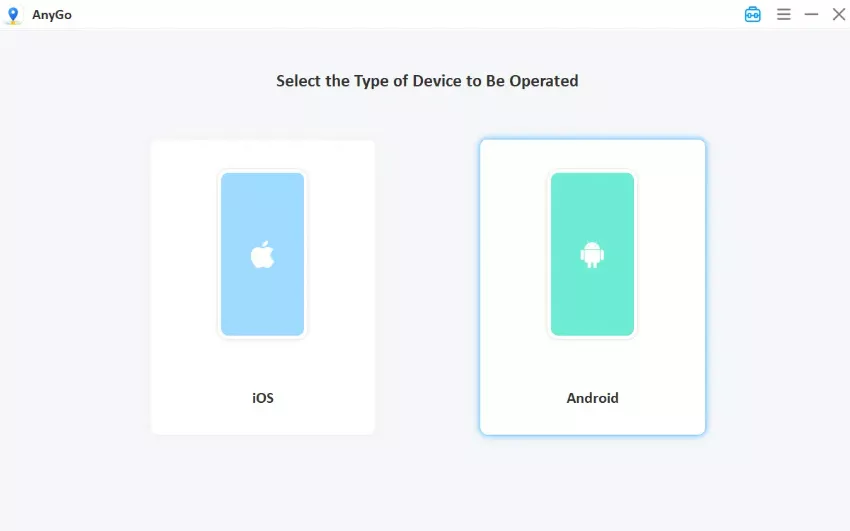
Step 3 Scan nearby Pokemon: click “Scan nearby Pokemon” icon to quickly display all Pokemon around your location. View detailed information for each Pokemon, including their CP, LV, IV and spawn time. Hit the “GO” button to change your location and get the pokemon immediately.

Conclusion
Your Pokémon GO journey becomes more rewarding once you understand how Individual Values work. However, most conventional IV checkers only offer stat analysis, leaving you to rely on luck to find great spawns.
iToolab AnyGo takes your experience to the next level, shifting passive IV checking into proactive high-IV hunting. Its smart scanning locates nearby perfect Pokémon, real-time IV overlays help you make quick decisions, and secure teleport features cut down unnecessary walk time. You can catch many more 100% IV Pokémon after switching to this versatile tool. Choose AnyGo today and build your ultimate battle team with confidence.