

LocaChange is a location changer that promises easy teleporting and route walking in Pokémon GO. Many players find it in search results and wonder if it is worth paying for. This LocaChange review covers what the app does, what it costs, and where it falls short. It also answers a bigger question: is LocaChange safe for your game account?

Part 1. What Is LocaChange?
LocaChange is a GPS location changer. It makes your phone report a different place on the map, so apps that use your location believe you are somewhere else. LocaChange supports iPhone, Android, Windows, and Mac. Official pages list it as compatible with iOS 27 and Android 17. It does not need a jailbreak or root.
Most people use it for Pokémon GO. The app includes a Pokémon GO Spoofing Mode and a search tool called PoGo Search. Other location-based apps can use it too.

Setup starts on a computer. You connect your phone, pick a route and a mode, and start moving. After that first setup, iPhone users can change their location straight from the phone. One plan covers up to 10 devices.
Part 2. Key Features of LocaChange: What Does It Offer?
LocaChange has a long feature list. The parts that matter most for Pokémon GO are these.
- Teleport and Jump Teleport:Teleport Mode moves you to any spot on the map in one step.
- Two-Spot and Multi-Spot Routes:Two-spot Mode walks you from point A to point B. Multi-spot Mode links several points into one path. Together they cover most daily play, like walking a loop around a park to hatch eggs.
- Joystick Control and Speed:The 360-degree Joystick Mode lets you steer by hand. Moving speed can be set from 3.6 to 120 km/h. A Fluctuation Mode varies your speed a little, so you do not move at one flat pace the whole time.
- Cooldown Timer:Cooldown Time is a countdown after each jump. It tells you how long to wait before you play again.
- Extras:You also get a live map called Live Atlas, plus History and Favorite lists. GPX import and export sit on the paid desktop version’s official feature list, so routes you plan elsewhere can come along. Confirm the option in the app after you subscribe, since the marketing page only mentions it on the pricing table.
Part 3. LocaChange App Review: Pros and Cons
No app is perfect. This section looks at the good and the bad.
Pros
- Clean, beginner-friendly interface.
- Works on major mobile platforms without requiring root or jailbreak.
- Smooth route customization with adjustable speeds.
- One plan covers up to 10 devices.
- Cooldown timer and Fluctuation Mode give you control over pace and pauses.
Cons
- Setup requires developer mode configurations and occasional driver issues.
- Game Mode on iOS sometimes asks for extra setup steps during installation.
- Periodic connection drops and map rendering lags during extended sessions.
- The free trial is too short to test long sessions.
The cons share a pattern. They show up at setup and during long play, which is exactly when you need the tool to be steady. A beginner who only wants a quick teleport may not mind. Someone who plays for hours may. That is the honest takeaway of this LocaChange review: it suits light, occasional use better than marathon sessions.
Part 4. Is LocaChange Safe for Pokémon GO?
This is the question that matters most. Safety has two sides: your device and your account. For the device, LocaChange does not ask for root or jailbreak, which is a plus. Download it only from the official site and review the permissions it asks for.
For the account, the answer is less comfortable. Is LocaChange safe for your Pokémon GO account? Not in any guaranteed way. No spoofing tool can promise that.
The Error 12 Threat
Pokémon GO shows “Failed to detect location (12)” when it cannot confirm where you are. Players call it Error 12. It can appear for harmless reasons, such as a weak GPS signal indoors. It also shows up when a spoofing tool is active and the game notices.
Treat Error 12 as a warning light. If it appears often, the game may be reading your setup as unusual.
What the Game Does When It Finds One
The published penalty system runs on strikes. A first strike means gameplay restrictions for about seven days. A second extends to about thirty. A third closes the account for good, and the official policy states the ban is permanent. Nobody outside the company can tell you how closely any specific pattern gets reviewed, and the count does not reset just because you switch tools.
So, is LocaChange safe overall? For your phone, mostly yes, as long as you install it from the official site. For your Pokémon GO account, it carries the same risk as any other spoofer. The tool is not the problem. The location spoofing itself is what the game’s rules forbid, and the cost of a strike lands on you, not the app maker. Anyone asking whether LocaChange is safe should weigh that before paying.
Part 5. LocaChange Pricing and Plans: What Are the Limitations?
The LocaChange pricing page lists four plans:
- 1 month: $19.99
- 1 quarter: $39.99
- 1 year: $79.99
- Lifetime: $119.99
Each plan has a 30-day refund window and includes a bonus Android app. The page also has a device selector, but it does not say how the number affects the price. Check the total at checkout.
Here is what the numbers mean in plain terms. The quarterly plan works out to about $13.33 a month. The yearly plan works out to about $6.67 a month. The lifetime plan costs exactly six months of the monthly plan. It also costs 1.5 times the yearly plan. If you will use the app for more than a year and a half, lifetime is the cheaper path.
Now the limits. The free trial gives one use each of Teleport, Jump Teleport, Two-spot, and Multi-spot, plus 15 minutes of Joystick Mode. That is enough to confirm the app connects to your phone. It is not enough to find out whether connections drop in a long session, which is the weakest area. Test the setup on your own device inside the 30-day refund window.
Also keep in mind that “lifetime” is the seller’s term. Apps need updates when phones and games change, so look at how often updates arrive before you pay for the long plan.
Part 6. Best LocaChange Alternative: Why iToolab AnyGo Is the Top Choice
If your main goal is Pokémon GO, iToolab AnyGo deserves a look. It runs on Windows and Mac, and it controls iPhone and Android devices. It supports iOS 7.0 to 27 and Android 7.0 to 17, covering everything from iPhone 5s upward. A personal license covers up to 15 devices at the same time. That is more than LocaChange’s 10.
AnyGo also covers the basics you saw above: teleport, two-spot and multi-spot routes, joystick control, and a Pokémon GO cooldown timer. GPX import sits on its desktop version as well, and the same option appears on LocaChange’s paid desktop list. The differences live in the four features below.

- Change GPS location without jailbreaking iPhone or rooting Android.
- Simulate GPS movement along any custom path with joystick.
- Auto catch Pokémon and spin PokéStops using GO Catcher.
- Support Monster Hunter Now, Pikmin Bloom and other location-based apps.
- No Failed to Detect Location Error 12.
- Run seamlessly on Windows, Mac, iOS, and Android devices.
- Fully support the latest iOS 27/Android 17.
Key Features of AnyGo
- Bypass Location Error 12:Error 12 stops many spoofing sessions. AnyGo lists an Error 12 fix as a supported use, plus a Bluetooth mode that pairs your computer with your iPhone and teleports from there. No tool can promise the error never appears, but this gives you a second route to try.
- Automate Catching & Spinning:The AnyGo iOS app includes Go Catcher. Enable it from the Poké Ball icon, turn on Pokémon GO Plus in the game settings, and it catches Pokémon and spins PokéStops as your route runs. It does not change the cooldown clock: balls thrown during the wait still fail.
- Scan Wild Pokémon & Active Raids:The Search Pokémon and Raids tool shows CP, coordinates, and despawn time, so you can tell whether a target is worth the trip before you move.
- Simulate Realistic Walking:Routes run at fixed or variable speeds from 3.6 to 100 km/h, with pause, resume, and repeats. Pick the pace that fits the trip instead of one flat number.
How to Spoof Location Safely with iToolab AnyGo
The steps below use the Windows version as an example. You can also use AnyGo App directly on Android or iOS devices.
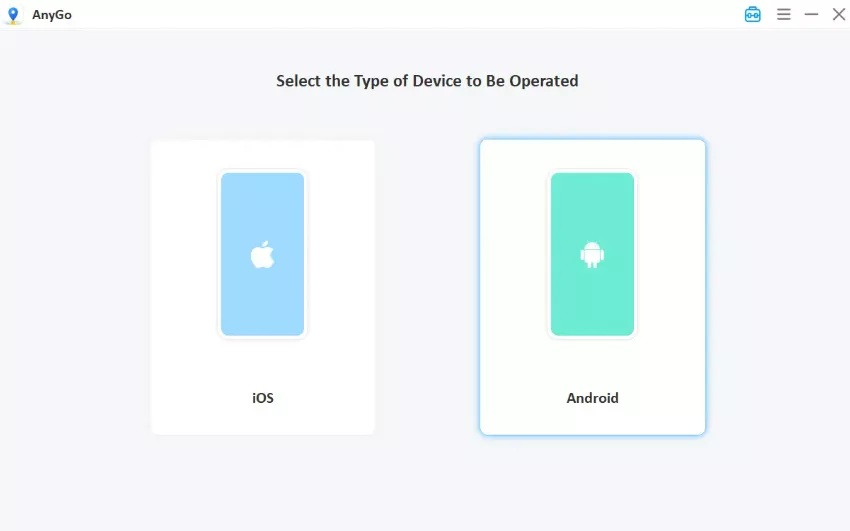
- Download and install iToolab AnyGo on your Windows or Mac computer.
- Connect your iPhone or Android phone to your computer with a USB cable.
- Your location appears on the map. Pick Teleport Mode, Two-spot Mode, or Multi-spot Mode. You can also use the joystick. For Teleport, type an address and click Go. Your location updates instantly.
- For a route, set your target places and speed, then click Go. Your avatar will simulate natural movement like a real player.


Final Thoughts
LocaChange is easy to use and fairly priced, but setup hassles and connection drops hold it back. Its biggest risk is the one every spoofer shares: the game treats fake location as cheating.
For Pokémon GO, AnyGo Location Spoofer brings auto catching and spinning, a raid search, a direct Error 12 fix, and room for more devices. Try the free trial first, and never use an account you cannot afford to lose. Download AnyGo and test it yourself.