

Location-based dating apps use your GPS to surface nearby matches, making it easier to find someone you could realistically meet. But that convenience comes with a privacy trade-off. This guide covers the 8 best location dating apps of 2026, how to choose one that fits your needs, and how to protect your GPS privacy with both free and paid methods.
Part 1. Why Location Dating Apps Are So Popular
Location dating apps have grown into one of the most popular ways to meet people, and it is easy to see why. From saving time to creating more meaningful connections, here are the five key reasons behind their popularity.
- Proximity builds trust faster: Shared neighborhoods and local spots create instant common ground that long-distance matches rarely offer.
- Saves time and reduces filtering effort: Distance filtering removes logistics from early conversations so you can focus on the connection.
- Local matches are more likely to become real dates: Proximity is one of the strongest predictors of whether an online match turns into an in-person meeting.
- The romance of crossing paths: Apps like Happn recreate real-world serendipity, matching you with people you may have walked past today.
- Better privacy controls than ever: Most apps now offer fuzzy distance displays, location hiding, and travel modes so you control what you share.
Part 2. Top 8 Location Dating Apps 2026
Here is a side-by-side comparison of the top location-based dating apps in 2026:
For most users, Tinder and Bumble remain the strongest all-round choices thanks to their large user bases and built-in location privacy tools. If you are looking for something more serious, Hinge is the go-to. For hyper-local or spontaneous meetups, Happn and Presence stand out. We would recommend avoiding apps with limited privacy controls or no active moderation, especially if you are new to location-based dating.
Part 3. How to Choose the Right Location Dating App
Not all location dating apps handle privacy the same way. Before you commit to one, consider these four key factors to make sure the app works for you safely and effectively.
1. Official Privacy Settings
Before using any location dating app, review these settings: hide exact distance where available, limit location access to “While Using the App” in your phone settings, and disable live “Nearby” or discovery features if you do not want your location pinged in real time.
2. Travel Modes as a Privacy Tool
Several apps let you set a location without being physically there, all officially supported and safe:
- Tinder Passport (Gold/Platinum): swipe in any city worldwide.
- Bumble Travel Mode (Boost): show your profile at a chosen destination.
- Hinge Travel Feature (Hinge+): match in a new city up to 7 days before arrival.
The downside: all require a paid subscription and only affect that one app’s match pool.
3. Free VS. Paid Privacy Features
Free: Fuzzy distance display, restrict location to “while using”, disable discovery mode.
Paid: Travel modes, profile visibility controls, incognito browsing.
4. When Official Options Are Not Enough
Travel modes are paid and app-specific. If you want to protect your GPS across all apps at once, or change location without paying for multiple subscriptions, a GPS spoofer like iToolab AnyGo is the practical next step.
Part 4. How to Change Location on Dating Apps for Privacy
There are two main ways to change your location on dating apps: using the official built-in tools each platform provides, or using a dedicated GPS spoofer for full device-level control. Here is how each option works.
Method 1: Official Built-in Functions
Tinder Passport (Gold/Platinum): Profile → Edit Info → Location → Add a new location → type any city.

Bumble Travel Mode (Boost): Profile → Settings → Snooze → Travel Mode → set destination.
Hinge Travel Feature (Hinge+): Settings → My Location → I’m Traveling → choose city.
Limitation: requires paid subscription, only changes that app’s match pool, and your device GPS remains unchanged for all other apps.
Method 2: Using a GPS Spoofer (AnyGo)
- Change GPS location on iPhone/iPad in clicks (No Jailbreak).
- Fake Pokemon Go GPS on Android and iOS devices.
- Simulate GPS movement along any custom path with joystick.
- Collect and import popular GPX route files for next use.
- Works well with location-based social apps and AR games.
- Fully support the latest iOS 26/Android 16.
iToolab AnyGo changes your device-level GPS so every app sees the same spoofed location. Unlike app-specific travel modes, it works across dating apps, social media, and games simultaneously with no separate subscription needed. Here are its key features:
One-click teleport to anywhere: Instantly set your GPS to any city or coordinate worldwide.
Wireless Bluetooth spoofing: Connect without a cable for a cleaner, hassle-free experience.
Realistic movement simulation: Set a walking or driving route so your location updates gradually rather than jumping.
Saved favorites and history: Bookmark frequently used locations and routes for quick switching.
No jailbreak or root required: Works safely on iOS 26 and Android 16 across Windows and Mac without any device modification.
Step-by-Step Guide: How to Change Location on Dating Apps with AnyGo
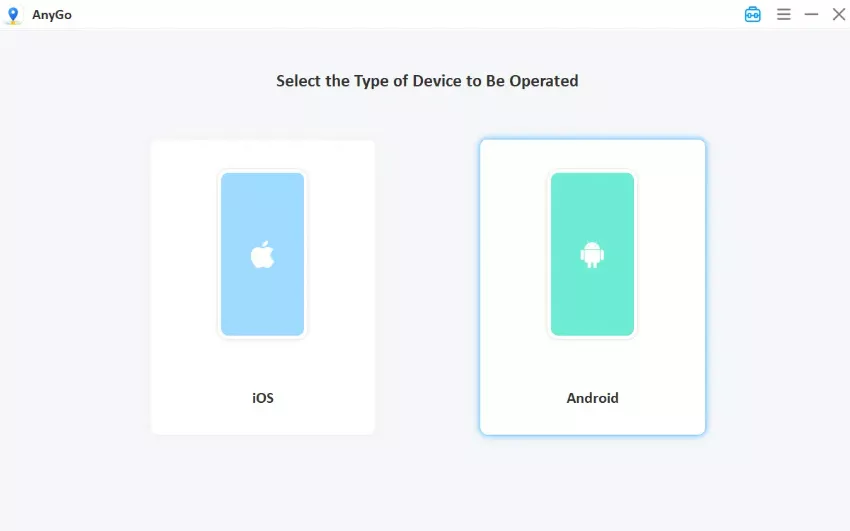
Step 1 Download and Install AnyGo.

Step 2 Connect Your Device via USB.
Step 3 Search for Your Target Location.
Click the Teleport Mode icon in the interface, and enter a city name or coordinates in the search bar.

Step 4 Click “Go” to Change Your GPS to that Location.
Click the Go button. Your GPS updates immediately. Open your dating app and it will reflect the new location.

Step 5 (Optional) Simulate Realistic Movement
Switch to Two-Spot or Multi-Spot Mode to simulate walking between points at a natural speed, making your profile appear active in the area.

Final Thought
Location dating apps are a powerful way to find nearby connections, but protecting your GPS is just as important as finding a good match. For app-specific needs, official travel modes work well. For full device-level control across all apps, iToolab AnyGo is a reliable and flexible solution. Use it responsibly, prioritizing privacy and safety over deception.
Download AnyGo for free at iToolab AnyGo and try it before purchasing.