

Local neighborhood parks often only offer common Pokemon. Waiting around for rare spawns can turn a fun gaming session into a frustrating experience. Staring at an empty radar while major raid battles happen across town is tough. Many players want to scout new hunting grounds without traveling for hours.
Exploring global spawn points from home changes the game. Tracking rare regional monsters opens up a completely new layer of play. Utilizing community-driven mapping utilities like WeCatch Pokémon GO helps dedicated trainers monitor live coordinates. You can discover active raids and plan efficient routes seamlessly.

Part 1. What Is WeCatch Pokémon GO?
Pokémon GO has no shortage of companion tools, and they do very different things. Some read the map. Others move your avatar. Mixing the two up costs money and, more often, costs perspective.
WeCatch Pokémon GO is the first kind. It is a community radar that gathers reports from active players, plus some scanner data, and puts spawns, raids, gyms, and PokéStops on a single map. Nothing on your phone changes. You are still standing where you were standing.
Most of what you see comes from other players. Someone spots a Snorlax two streets over and marks it, and the pin appears for everyone looking at that area. Busy districts fill in within minutes; quiet ones can lag for hours. Worth knowing before you build a trip around a single pin.
That is the line worth drawing clearly: WeCatch is a radar, not a spoofer. It never touches your device GPS, never moves your avatar, and never puts you anywhere you are not. What it gives you is information, and information is all it gives you.
Read that way, the app is a planning tool. You check what is nearby, decide whether the walk is worth it, and go. Whether the answer is useful depends on how far you are willing to travel and how much you trust a pin someone else dropped.
Part 2. WeCatch Key Features
Four things make up most of what WeCatch Pokémon GO does. None are complicated, but each saves a different kind of time.

- Real-Time Map Search: Spawns, raids, gyms, and PokéStops appear as pins, refreshed from community reports. Zoom into your own neighborhood or jump to another city. Raid pins also carry the boss and the tier, which is the part that decides whether the trip is worth it.
- Customizable Filters: Narrow the map by species, generation, or IV and CP range, and everything else drops off the screen. For anyone hunting one specific Pokémon rather than whatever happens to be nearby, this is the feature that matters most.
- Push Notifications: Sign in, pick the species you care about, and switch alerts on. When one of them turns up in the area you selected, your phone tells you. The sign-in and the filter are not optional; skip either and nothing arrives.
- Spawn Timer: Every pin carries its coordinates and the time left before the Pokémon despawns. If the countdown is shorter than your walk, you already have your answer.
Between them, these four remove the part of hunting that is mostly guesswork.
Part 3. Is WeCatch Safe? Risks You Need to Know
A mapping tool is not automatically harmless just because it leaves your GPS alone. Five things are worth weighing before you build a routine around one.
- Not Official Software: WeCatch is independent. Its own App Store listing states that it is not affiliated with, endorsed by, or connected to the Pokémon GO brand or its publisher, and that holds under Scopely today. The iOS build sits inside the App Store. WeCatch Pokémon GO Android comes as a file you install yourself. That difference decides how much vetting the code has had before it reaches you.
- Account Risk: Third-party tools sit outside the publisher’s terms, and using them can be treated as a violation. Accounts have been warned, suspended, and closed for exactly this kind of tooling. The judgment belongs to the publisher, the criteria are not published, and once a review starts there is nothing on your end that changes the outcome.
- Server Outages: Most of these maps depend on data feeds that break whenever the game updates. A client patch or a server-side change can leave WeCatch showing stale pins, or nothing at all, until the developers catch up. The days right after a major event or a version release are the worst time to plan around it.
- Data Accuracy: Community reports are only as good as the community. In busy cities pins appear within minutes. In quiet areas they can be hours old, and a spawn may be gone before you arrive. Part of the data also comes from scanning rather than players, which adds its own lag and its own legal questions.
- Privacy: The app asks you to sign in and to share your location. Normal for a map, and it also means your account details and movement patterns sit with a small independent developer rather than a company with a public security program.
None of this makes WeCatch unusable. It does mean the map comes with a warranty of zero, and where you point it is your call.
Part 4. How to Download and Use WeCatch (iOS & Android)
There are two ways in, and they are not equally simple. Pick the one that matches the device already in your hand.
For iOS
Search the App Store for WeCatch – Radar & Map. The listing is free, carries in-app purchases, and the free tier shows ads. Installation is an ordinary App Store install. The app asks for location access on first launch, and the map centers on you once you allow it.
- Open the app and drag the map to the area you care about, or search for a city by name.
- Open the filter panel and narrow by species, generation, or IV range until only your targets are left.
- Tap any pin to see the remaining time, then copy its coordinates.
For Android
Google Play does not carry WeCatch. The WeCatch Pokémon GO APK comes from the developer’s own site and community pages, and that is the only place worth downloading it from. Files from APK aggregator sites are a common route for bundled malware, and no store review stands between you and the installer. You will need to allow installs from unknown apps for whichever file manager you use; it is a system setting you can switch back off afterward.
- Download the APK from the developer’s page and open it.
- Allow the install, then launch the app and grant location access.
- Search, filter, and copy coordinates the same way you would on iOS.
If the map comes up empty
A blank map is usually one of three things. You have not signed in, so no filter is active and nothing is being served. Your filters are too narrow for the area you are looking at. Or the data feed is down after a game update, in which case reloading will not help and the community page will tell you more than the app will.
Part 5. Getting to the Coordinates WeCatch Gives You
A pin tells you where a Pokemon is. It does not put you there. On foot, a spawn four kilometers out with six minutes left is not a target; it is a rumor. That gap between knowing and arriving is the entire reason people pair a map with a location changer.
iToolab AnyGo is a location changer for Pokemon GO, and one a fair number of players already keep installed. It handles the movement half of the job: paste a coordinate and your avatar is standing on it, or draw a route and it walks the line at the speed you set. The pin still comes from WeCatch. AnyGo only decides how you get to it.

- Change GPS location without jailbreaking iPhone or rooting Android.
- Simulate GPS movement along any custom path with joystick.
- Auto catch Pokémon and spin PokéStops using GO Catcher.
- Support Monster Hunter Now, Pikmin Bloom and other location-based apps.
- Run seamlessly on Windows, Mac, iOS, and Android devices.
- Fully support the latest iOS 27/Android 17.
Key Features of AnyGo
- Paste a pin, land on it: Copy the coordinates out of WeCatch and drop them into the search bar. Your avatar moves to that exact spot while your real location stays where it was.
- Simulate Natural Walking: Use Two-Spot or Multi-Spot routes to move smoothly between points at customizable, realistic walking speeds to mimic organic player movement.
- Cooldown Timer Control: Track an automatic countdown after every teleport to know precisely when it is safe to catch Pokemon or spin PokéStops without soft bans.
- Nearby Pokémon & Raid Scanner: Scan surroundings for active wild spawns and Gym battles to double-check WeCatch findings or locate rare targets missed by community reports.
How to Use AnyGo with WeCatch Coordinates
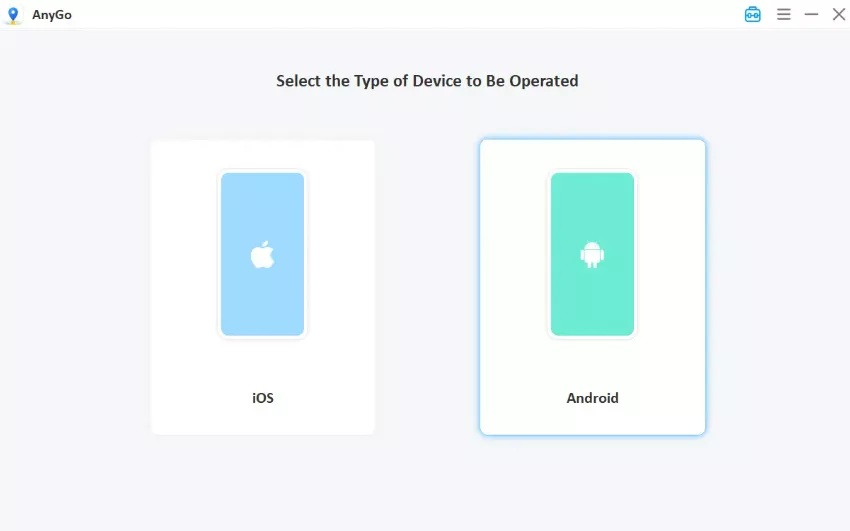
- Download and install AnyGo on Windows or Mac, open it, and choose General Mode.
- Connect your iPhone or Android device by USB and wait for it to register.
- Copy the coordinates from WeCatch, paste them into AnyGo’s search bar (or type the target city you want to go to), then click Go. Your GPS will update to the target location immediately, then launch Pokémon GO to catch your target safely.


Final Thoughts
WeCatch Pokémon GO answers one question and answers it well: what is out there right now. It cannot answer the second one, which is how you get there before the timer runs out. That second question is what a location changer exists for.
If WeCatch is already part of your routine, AnyGo Location Changer is the piece that closes the loop. Copy a coordinate, paste it, and the walk drops out of the equation. Worth a look if the map has spent the last month showing you targets you cannot reach.