

Looking for a Douyin downloader? Douyin videos disappear fast. One minute a clip is racking up millions of views, and the next it’s gone from your feed or blocked from saving altogether. That’s a real problem if you spotted a recipe, a dance trend, or a funny clip you wanted to watch again later.
This guide covers five reliable options for a Douyin downloader that saves videos without watermark, whether you’re on iPhone, Android, or a computer. You’ll also learn a simple trick to unlock Douyin content that’s locked to viewers inside China.

Why Do You Need a Douyin Downloader?
Douyin is the Chinese version of TikTok, built by the same company, ByteDance. It’s packed with short videos covering everything from cooking to comedy, and it has its own trends that never make it onto the international app. Recent industry data puts Douyin at more than 900 million monthly active users in China, which is exactly why so many clips go viral before you even get a chance to save one.
The problem is that Douyin doesn’t give you an easy way to save most videos to your phone. Here’s why so many people search for a good Douyin video downloader:
- No built-in save option. Most Douyin videos can only be viewed in the app, not saved to your camera roll.
- Creator restrictions. Some creators turn off offline saving entirely, so even a screen recording won’t give you a clean copy.
- Watermarks ruin reposts. Any video you do manage to save usually carries a Douyin logo and username stamped across it.
- Batch needs for creators and researchers. Marketers, editors, and researchers often need dozens of clips at once, not one video at a time.
A dedicated Douyin downloader solves all four problems in one step. Let’s look at the best tools for the job.
5 Best Douyin Video Downloaders
Each of these tools takes a different approach, from a simple browser extension to an open-source script. Pick the one that matches your comfort level with tech and how many videos you plan to save.
1. VideoSave — Douyin Video Downloader (Chrome Extension)
💡Watermark removal: ✅ Yes
This is the easiest starting point for most people. VideoSave is a free extension you add to Chrome, and it adds a download button right on the Douyin website, no separate software needed.

📌Key features:
- One-click save for individual videos, with a quality selector and automatic fallback if the highest quality fails
- Download progress indicator so you can see large files completing
- Optional CSV export of video comments for research and content work
- No account or sign-in required
Best for: Anyone who wants a quick Douyin video downloader without installing separate software.
How to use it: Search “VideoSave — Douyin Video Downloader” in the Chrome Web Store, install it, then open any Douyin video in your browser and click the download button that appears. Pick your quality and the file saves straight to your computer.
2. GitHub Douyin Downloader (jiji262)
💡Watermark removal: ✅ Yes
This is a free, open-source project built in Python. It’s designed for people who are comfortable running a script rather than clicking through a simple app, and it’s popular with developers and content teams that need real batch power.

📌Key features:
- Downloads entire profiles, favorites, and video collections at once
- Progress bar and automatic retries if a download fails
- Built-in duplicate detection, so you never save the same clip twice
- Live stream recording is still experimental, and HLS streams need extra processing with ffmpeg before the file plays
Best for: Developers or content teams who need heavy batch downloading and don’t mind a bit of setup.
How to use it: Download the project files from GitHub, install Python if you don’t already have it, and set up your Douyin cookies with the included helper tool. Then run the script with a profile link or video URL, and files save to a folder on your computer automatically.
3. F2 — Open-Source Multi-Platform Downloader (GitHub)
💡Watermark removal: ✅ Yes
F2 is an open-source Python downloader that handles Douyin, TikTok, Twitter, and more from one tool. It’s lighter than a full profile-archiving setup, and it stays actively maintained, which matters, because Douyin’s anti-download protections change often and many older tools have quietly stopped working.

📌Key features:
- Watermark-free downloads from a single Douyin or TikTok link
- Built-in web interface, so you can paste links from your browser instead of typing commands
- Supports video, image posts, and account content across multiple platforms
- Free, open source, and regularly updated by its maintainer
Best for: Tech-comfortable users who want one actively maintained open-source tool for Douyin and other short-video platforms.
How to use it: Install Python, then install F2 with pip install f2. Launch its web mode, paste a Douyin share link into the input box, and the video saves without the Douyin watermark.
4. TikTokDownloader — Douyin & TikTok Desktop Tool (GitHub)
💡Watermark removal: ✅ Yes
TikTokDownloader (by JoeanAmier) is a desktop tool that handles both Douyin and TikTok links in one place. It ships ready-compiled for Windows and macOS, and its browser-based interface makes batch work manageable without touching a command line.

📌Key features:
- Ready-to-run builds for Windows and macOS; no Python setup required
- Downloads Douyin and TikTok videos, photo posts, and galleries at the highest available quality
- Batch downloads from profiles, likes, and collections, with auto-skip for already-downloaded files
- Clipboard monitoring: copy a link anywhere and the tool can pick it up automatically
- Free and open source
Best for: Desktop users who want one app for Douyin and TikTok downloads with batch power, without a browser extension.
How to use it: Download the latest build for your system from the project’s GitHub Releases page, launch it, and open the web interface in your browser. Paste a video or profile link to start the download, then pick your save folder.
5. Online Douyin Downloader (Web-Based Tools)
💡Watermark removal: ✅ Yes (most support it)
Web tools like SnapTik, DLPanda, DLBunny, Easydown, and TikMp4 skip installation entirely. You open a website, paste your link, and download straight from there. Stick to the better-known names, close any pop-up ads, and confirm the real download button before you click.

📌Key features:
- Works on any device with a browser, including phones and tablets
- No installation, account, or software update required
- Most support batch mode for pasting several links at once
- Many also offer an HD download option for the cleanest quality
Best for: Casual users who want the fastest way to save Douyin videos without a watermark and without installing anything.
How to use it: Copy the video link from the Douyin app’s share menu, open your chosen website, and paste the link into the search bar. Tap download, then pick the watermark-free or HD option if it’s offered.
How to Pick the Right Douyin Downloader for You
With five solid options on the table, the right choice really comes down to how often you download and how comfortable you are with tech. Here’s a quick way to decide:
🔍Downloading a few clips a week? Go with the Chrome extension or a web-based tool. Both take seconds and need zero setup.
🔍Saving hundreds of videos for research or content work? The GitHub batch tool is built for exactly that, even if it takes a bit longer to set up.
🔍Switching between a Windows PC, a Mac, and your phone? A cross-platform desktop app keeps everything in one place.
🔍Want the absolute simplest option? Stick with an online Douyin downloader you can bookmark and reuse from any browser.
There’s no wrong answer here. Most people end up using two tools: one for quick daily saves and one for bigger batch jobs.
How to Access Region-Locked Douyin Content with AnyGo
Some Douyin videos are only served to viewers inside China. Note that Douyin decides this from your account region, SIM, and IP, not GPS alone. What a location changer fixes is the local layer: Douyin’s Nearby feed and city-tagged posts follow your device’s position, so setting it to Beijing or Shanghai surfaces the city content most downloaders never reach.
iToolab AnyGo is what makes that position change possible on your phone. The desktop app moves a connected phone’s virtual location over USB or Wi-Fi, and the iOS/Android app changes it directly on the device. So before you open Douyin, you can drop your location into Beijing or Shanghai and pull the Nearby feed and city-tagged posts that stay invisible to viewers outside China. Switch to a different city and Douyin’s local content changes with it, which makes it easy to compare what each region surfaces.

- Teleport to any Chinese city in seconds and browse Douyin like a local viewer.
- Keep your position consistent so location-based feeds load correctly.
- Simulate movement along a custom path with the joystick.
- Change iPhone location in official apps with Native Mode.
- Works with other location-based apps like Instagram, Snapchat, Life360, Tinder, Bumble, and AR games.
- Run seamlessly on Windows, Mac, iOS, and Android devices.
- Fully supports the latest iOS 27/Android 17.
Using AnyGo General Mode
Step 1 Download and install iToolab AnyGo on your Windows or Mac computer. Launch AnyGo and select General Mode.

Step 2 Connect your iPhone or Android phone to your computer with a USB cable.
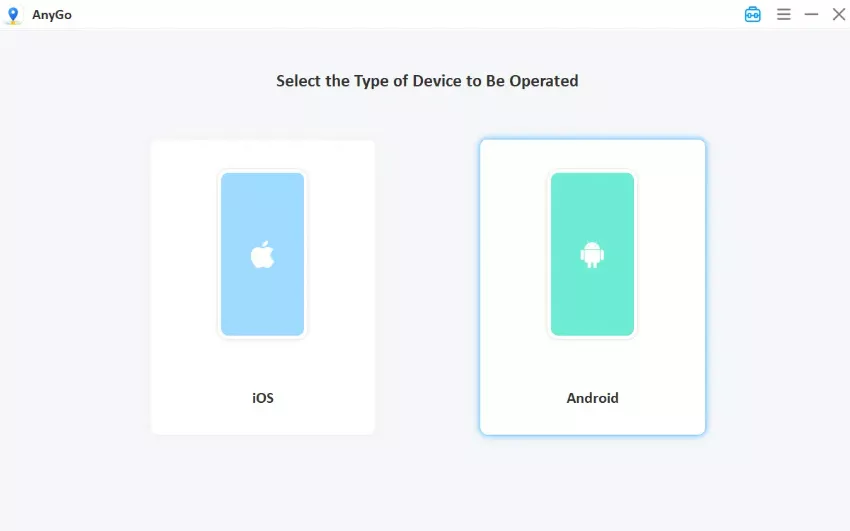
Step 3 Search for a Chinese city such as Beijing or Shanghai in the search bar, or click a spot on the map directly. Click Go to apply the new location. Open Douyin and check the Nearby feed. City-tagged posts should now match. A China-region app store account and a China IP make the results far more consistent.

Using AnyGo iOS Native Mode
Step 1. Download and launch the AnyGo iOS app on your iPhone, then select Native Mode from the bottom of the screen.

Step 2. Enter your target city or coordinates in the search bar, or tap any desired spot on the map. Tap Teleport.

Step 3. Set up the required VPN connection and trust the certificate. (This is a one-time setup for first use only.)

Step 4. Your iPhone GPS will update to the target location immediately. Then open Douyin and browse the content that local viewers see.

Once your location updates, reopen Douyin and browse as usual. Any video you find can then be saved with one of the Douyin downloader tools covered above.
FAQs About Douyin Downloaders
Quick answers before you pick a tool.
Q1. Is it legal to download Douyin videos?
Downloading a video for personal, offline viewing is generally considered low risk in most places. Reposting or monetizing someone else’s content without permission is a different matter, since it can breach copyright law and Douyin’s own terms of service. When in doubt, credit the original creator, ask for permission before reusing their work, and avoid claiming someone else’s video as your own.
Q2. Can I download Douyin videos in bulk?
Yes. The Chrome extension and the GitHub-based tools covered above both support batch downloads from an entire profile or favorites list. Web-based tools also tend to support pasting multiple links at once, though the limit varies by site, so check the tool’s help page if you plan to save a large batch in one sitting.
Q3. Will downloaded Douyin videos lose quality?
It depends on the tool. Most downloaders on this list offer an HD or original-quality option, so check the settings before you save. Some free web tools compress video by default to save bandwidth, so look for a quality selector and pick the highest resolution on offer before you tap download.
Q4. What’s the difference between Douyin and TikTok?
Douyin and TikTok share the same parent company, but they run as separate apps with separate servers, separate moderation rules, and separate content libraries. A trend that’s huge on Douyin might never appear on TikTok, and vice versa, since creators often post exclusively to one platform or the other. That gap is exactly why tools like a location changer are useful for reaching content that otherwise stays locked to one region.
Conclusion
A good Douyin downloader turns a fleeting video into something you can keep, whether that’s a recipe you want to try, a trend you’re studying, or a clip for your own content. The five tools above cover every comfort level, from a simple browser extension to a full batch script.
If region locks are holding you back from Douyin’s full library, pairing your downloader with iToolab AnyGo Location Changer closes that gap. Change your location, browse like a local, then save what you find with the method that fits you best. Try one tool this week, see how it fits your workflow, and add a second one once you know exactly what you need.