

UnicTool TailorGo is a popular GPS location changer for Pokémon GO and Monster Hunter Now. It looks simple in the ads. The real picture is more mixed. iPhone setup needs a computer, the price depends on the plan you pick, and spoofing puts your game account at risk. This guide covers the download, features, current pricing, and weak spots. It also compares TailorGo with iToolab AnyGo and shows a four-step walkthrough.

What Is UnicTool TailorGo?
UnicTool TailorGo is a GPS location changer for iPhone and Android phones. It needs no jailbreak or root. It comes as a Windows or Mac program, plus an Android version. With the computer versions, you link your phone and the software tells your apps the phone is somewhere else.
The official pages market it mainly for AR games, with Pokémon GO and Monster Hunter Now getting the most attention. Dating and social apps are on the list too, from Tinder and Grindr to Find My and Life360.

Here are the main features:
- Teleport mode: Jump to any spot on the map in one click.
- Two-Spot mode: Walk between two points. The route adjusts to real obstacles.
- Multi-Spot mode: Pass through several points you pick. It does not account for obstacles.
- Joystick control: Steer in 360 degrees with the mouse, or use W, A, S, D and the arrow keys.
- Custom speed: Choose anything from 3.6 km/h to 120 km/h, which covers walking, cycling, and driving.
- Saved data: Keep history, saved spots, and saved routes. Import and export GPX files.
- Cooldown reminder: A timer helps you wait after a long jump in Pokémon GO.
TailorGo suits people who want one general tool for games, dating apps, and social apps. Pokémon GO players who want game-specific extras should read the alternative section below.
UnicTool TailorGo Download: PC and APK (Android/iOS)
Get the program only from UnicTool’s own website. Copies on random file sites can carry malware or fake license keys, and a cracked version means no support and no refund.
How to Download UnicTool TailorGo for PC (Windows & Mac)
Follow these steps to download UnicTool TailorGo for PC:
- Open the official TailorGo page on UnicTool’s website.
- Under the button, find the “Available for” icons. Click the Windows or Mac logo, and “Try It Free” switches to the installer for that system.
- Run the file and follow the install prompts.
- Open the program and click “Get Started.”
- Connect your phone with a USB cable. On an iPhone, tap “Trust” and enter your passcode if asked.
UnicTool TailorGo APK Download for Android
Yes, TailorGo has an Android version. Go to the product page and click the Android logo in the “Available for” row, and the “Try It Free” button downloads the Android file. The buy page’s comparison table lists the TailorGo Android App under the trial, VIP, and SVIP alike, so whichever plan you pick, the app comes with it.
Be careful with any site offering a “UnicTool TailorGo APK download.” Unofficial APK files can hide malware, steal logins, or carry broken license files. If the file does not come from UnicTool, skip it.
Common Download & Installation Issues You May Encounter
- The phone is not detected: Try another cable. Unlock the phone and tap “Trust” or “Allow.” On Android, set USB mode to file transfer and confirm USB debugging is on.
- Your phone runs a newer system: The TailorGo product page lists support up to iOS 17 and Android 14. Its FAQ gives a wider iOS range, and the two statements do not match. If your phone runs a newer version, test the free trial before paying.
- WiFi will not connect: On the computer version, WiFi works only for iPhones, only after a first USB link, and only on the same network.
- The map stays blank: Check your internet connection. Allow the program through your firewall or antivirus, then restart it.
- Antivirus flags the installer: Download it again from the official site. If the warning stays, contact UnicTool support.
UnicTool TailorGo Review: Pros, Cons, and Risks
UnicTool TailorGo has a simple layout and plenty of movement options, but it also has trade-offs and account risks. Here is what works, what does not, and what to watch for before you pay.
Pros
- Simple layout: The map, modes, and joystick are easy to find, which helps beginners.
- Wide speed range: The 120 km/h ceiling is higher than most competitors claim, which matters only if you want to simulate driving.
- Works beyond games: Dating and social apps are on the supported list, and one product page offers Windows, Mac, iOS, and Android versions.
- Real free trial: You can try Teleport, Two-Spot, and Multi-Spot once each.
Cons
- iPhones still need a computer: They need a first USB link, and WiFi works only after that. Android users get a dedicated version, but the computer version is USB only. Dropped connections and slow map loading are the usual trouble spots for desktop spoofers, and a USB link makes a drop more likely. Reliable independent complaints about TailorGo itself are thin, so test the trial on your own setup first.
- Subscriptions auto-renew: Monthly and quarterly plans renew on their own. The pricing section shows how fast costs add up.
- No game extras: The product pages list no auto-catch, no nearby scanner, and no in-game assistant.
Detection Risks in Pokemon GO
Spoofing is against the game’s rules. The Pokémon GO fairness policy names “falsifying location (GPS location spoofing)” as cheating. The penalties climb in steps:
- Strike 1: A warning.
- Strike 2: A suspension of about 30 days.
- Strike 3: A permanent ban.
Some cases skip the steps and go straight to termination.
You may also see “Failed to Detect Location (12).” The game shows it when it cannot read a valid location, and spoofing players run into it often. TailorGo’s product pages say nothing about how the tool handles this error. Until you have tested it yourself, treat that gap as a risk.
UnicTool TailorGo Pricing: Is It Really Worth the Money?
Here are the listed prices at the time of writing (November 2026). They change often, so check the buy page before paying.
- 1 month: $14.99, auto-renews monthly
- 1 quarter: $25.99, auto-renews quarterly
- Lifetime: $79.99, one-time payment
SVIP plan (up to 10 devices)
- 1 month: $19.99
- 1 quarter: $39.99
- 1 year: $79.99
- Lifetime: $119.99
A little math shows which plan makes sense:
The VIP quarterly plan works out to about $8.66 a month. That is roughly 42% cheaper than paying monthly. VIP lifetime costs the same as about 5.3 months on the monthly plan. It also beats the quarterly plan once you pass four quarters. SVIP yearly and VIP lifetime both cost $79.99. Unless you need more than five devices, VIP lifetime is the better deal.
The free trial lets you check device compatibility and use Teleport, Two-Spot, and Multi-Spot once each. Saved spots, saved routes, and history stay locked.
Is it worth it? For a short project with a phone that connects cleanly, the quarterly plan is fair. For long-term Pokémon GO play, you are paying for basic movement tools and nothing more.
Best UnicTool TailorGo Alternative: Why iToolab AnyGo Is the Superior Choice
iToolab AnyGo is a location changer for Pokémon GO, and one a lot of trainers already keep installed. It covers the same four movement modes TailorGo has, plus the game-specific tools TailorGo leaves out.

- Change GPS location without jailbreaking iPhone or rooting Android.
- Simulate GPS movement along any custom path with joystick.
- Auto catch Pokémon and spin PokéStops using GO Catcher.
- Support Monster Hunter Now, Pikmin Bloom and other location-based apps.
- Run seamlessly on Windows, Mac, iOS, and Android devices.
- Fully support the latest iOS 27/Android 17.
Here are the features TailorGo’s pages do not list.
- No Failed to Detect Location Error 12 trouble.
- Built-in Go Catcher: Your avatar walks the route while Go Catcher catches wild Pokémon and spins nearby PokéStops.
- Scan nearby Pokémon and raids: Search for Pokémon and raids and see CP, coordinates, and despawn times. You can pick a target before you move.
- POGO Assistant for iOS: Tools include IV Preview, Quick Catch, Quick Spin, Enhanced Throw, Auto-Raid, Skip Animations, and Auto Hatch Eggs.
How to Change GPS Location with iToolab AnyGo
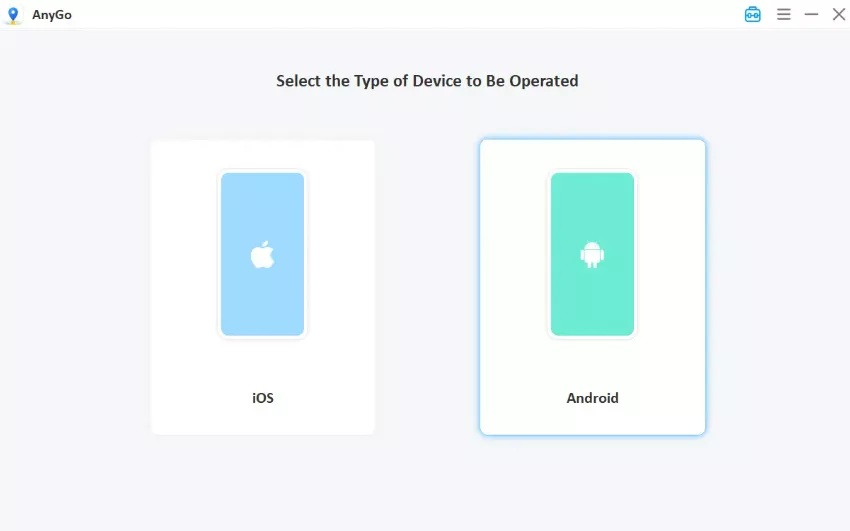
- Download AnyGo on your Windows or Mac computer, open it, and choose General Mode. The map shows your current location.
- Connect your iPhone or Android phone to your computer with a USB cable.
- Click the Teleport icon in the upper-right corner, type the destination, and click “Go,” the location changes within seconds. Confirm in a map app, and in Pokémon GO wait out the cooldown before you catch or spin.


FAQs About UnicTool TailorGo
Still have questions about UnicTool TailorGo? Here are clear answers to the three most common ones.
Q1. Is UnicTool TailorGo safe for Pokémon GO in 2026?
The software is safer when it comes from UnicTool’s site. Your account is the bigger question. Pokémon GO treats GPS spoofing as cheating, and the penalty ladder runs from a warning to a permanent ban. No tool can honestly promise you will never be caught.
Q2. Is UnicTool TailorGo completely free?
No. The trial only checks device compatibility —— Teleport, Two-Spot and Multi-Spot work once each, and history, saved spots and saved routes stay locked. Everything past that needs a plan, from $14.99 a month on VIP to $119.99 for SVIP lifetime.
Q3. What should I do if TailorGo fails to detect my location or stops working?
Work through these steps in order:
Reconnect the USB cable, or switch to a different cable. Restart TailorGo, then restart your phone. Check that your iOS or Android version is on the supported list. Confirm USB debugging (Android) or the Trust prompt (iPhone) is still active. If Pokemon GO shows Error 12, close the game, stop spoofing, wait out the cooldown, and reopen it.
If the problem keeps coming back, try AnyGo’s free trial and compare.
Final Thoughts
UnicTool TailorGo handles the basics well: teleport, routes, joystick, and a wide speed range. It falls short for Pokémon GO players. Its pages do not cover Error 12, auto-catching, or an in-game assistant, and the cheaper plans auto-renew. AnyGo Location Changer fills those gaps and supports more devices. Start with the free trial, test it on your own phone, and use any spoofer knowing the account risk.