

Finding a reliable GPS spoofer remains a challenge for location-based gamers in 2026. Pokémon GO’s anti-cheat systems keep evolving, and many older spoofing tools have fallen away. Mobitrix MagicGo positions itself as a premium desktop solution for changing an iPhone’s GPS location without jailbreaking. It promises smooth movement and joystick controls for games like Pokémon GO. But software requirements, device compatibility, and safety records change quickly.
This review examines how MagicGo performs this year, its current pricing structure, its safety record regarding Error 12, and whether it still justifies its cost compared to newer cross-platform alternatives.

Part 1. What Is MagicGo?
Mobitrix MagicGo is an iOS location-changing software application. It runs on a desktop computer rather than directly on a mobile device. Users connect their phones to a Windows or Mac computer to manipulate their GPS coordinates. The software caters heavily to location-based AR games, primarily targeting Pokémon GO players who want to catch region-exclusive Pokémon or participate in distant raids without physically traveling.
Currently, MagicGo is built specifically for Apple devices. Its product page advertises compatibility up to iOS 18, and it says nothing about iOS 26. It lacks an Android application entirely, and it has no native iOS app either, meaning a computer connection is always required to initiate the location spoofing.

MagicGo Key Features: What You Actually Get
The software includes several standard spoofing features designed to mimic real-world movement.
Two-Spot & Multi-Spot Route Simulation:
Players can select a starting point and a destination. The software then simulates movement between these two points along existing roads. The multi-spot feature allows users to plot a custom route with multiple stops, which is useful for hatching eggs or walking buddy Pokémon.
GPS Joystick, Teleport & Adjustable Speed:
The joystick feature provides manual directional control on the computer screen. This lets players move their in-game avatar in real-time. The teleport function instantly changes the GPS location to any set coordinates. Users can also adjust their movement speed to simulate walking.

Cooldown Timer & Historical Records:
Jumping long distances triggers a cooldown period in Pokémon GO. MagicGo includes a built-in timer that counts the wait down, and it also saves historical location records, making it easy to return to favorite farming spots.
Support Windows/Mac Desktop App, iOS 18 (No iOS App, No Android):
The software runs on both Windows and macOS systems. Its product page lists compatibility up to iOS 18, but it completely lacks support for Android devices.
Part 2. Is MagicGo Safe for Pokémon GO?
The error most spoofers run into is “Error 12: Failed to detect location”, where the game decides the GPS reading is not plausible and refuses to place your character. MagicGo’s own pages make no specific promise about this error. What the tool has going for it is architecture: the location is changed at the system level through a computer, rather than inside a modified copy of the game. Modified clients are the category that almost always ends in a strike, so the gap between the two approaches is real, even if the vendor does not put a number on it.
What no vendor page will tell you: spoofing breaks the game’s terms regardless of which tool does it. The published strike system runs from a first-strike warning with seven days without rare Pokémon, through a 30-day account lock, to a permanent ban, and offenders are not always given all three chances. A cooldown timer does not change what the rules say. Comparing tools on safety therefore means comparing stability and update records, not comparing risk.

Part 3. Is MagicGo Free?
Mobitrix MagicGo is a premium product, not a free tool. The official Mobitrix store lists three plans at the time of writing, all quoted in US dollars on the Windows storefront: a 1-month license at US$9.95, a 1-quarter license at US$19.00, and a 1-year license at US$39.00.
Every tier covers 5 devices and 1 computer, and every tier renews automatically, so cancel through Mobitrix support (stated 24-hour turnaround) a couple of days before the renewal date if you only want one period. There is no lifetime license. Regional storefronts show the same three plans in local currency, and the Mac store page lists the same three lengths, so check it separately if you are buying for macOS.

Part 4. MagicGo Pros and Cons: Is It Worth Buying in 2026?
Before purchasing a license, it helps to weigh the software’s strengths and limitations.
Pros:
- Requires no jailbreaking of the iPhone.
- The joystick provides smooth, real-time directional control.
- Customizable speeds help simulate realistic movement.
- The cooldown timer makes it easier to avoid triggering the game’s cooldown checks.
- Saves previous locations for quick access.
Cons:
- iPhone Only: The complete lack of Android support limits its usefulness for multi-device households.
- Subscription Auto-Renew: Users must actively manage their billing to avoid unexpected charges.
- Future Updates Unclear: There is no stated support or roadmap beyond iOS 18. Its page says nothing about iOS 26 or anything newer.
- Requires a Computer: You cannot change your location while away from your desk.
Part 5. Need Android or a Simpler Setup? What to Use Instead
If you own an Android device, or if you want a tool with broader device compatibility and active Pokémon GO features, MagicGo will not work for you. A highly recommended alternative is iToolab AnyGo.
AnyGo is a comprehensive location spoofing tool that addresses many of MagicGo’s limitations. It is designed to work seamlessly across multiple platforms and includes features specifically tailored for hardcore Pokémon GO players.

- Change GPS location without jailbreaking iPhone or rooting Android.
- Simulate GPS movement along any custom path with joystick.
- Newly released Native Mode: spoof iOS location without modded apps for all LBS apps safely.
- Auto catch Pokémon and spin PokéStops using GO Catcher.
- Support Monster Hunter Now, Pikmin Bloom and other location-based apps.
- No Failed to Detect Location Error 12.
Key features of AnyGo:
- Available on iPhone, Android, Windows, Mac: Unlike MagicGo, AnyGo supports both major mobile operating systems. You can use it regardless of what phone you own.
- GPX Route Import/Export: Players can download popular GPX route files from the internet and import them directly into AnyGo to automate walking along optimized paths.
- Scan Nearby Pokémon and Raids: This feature gives players a strategic advantage by revealing nearby targets before they move.
- POGO Assistant for iOS: A dedicated assistant tool designed to streamline the connection and spoofing process specifically for Pokémon GO on Apple devices.
How to Use AnyGo as a MagicGo Alternative
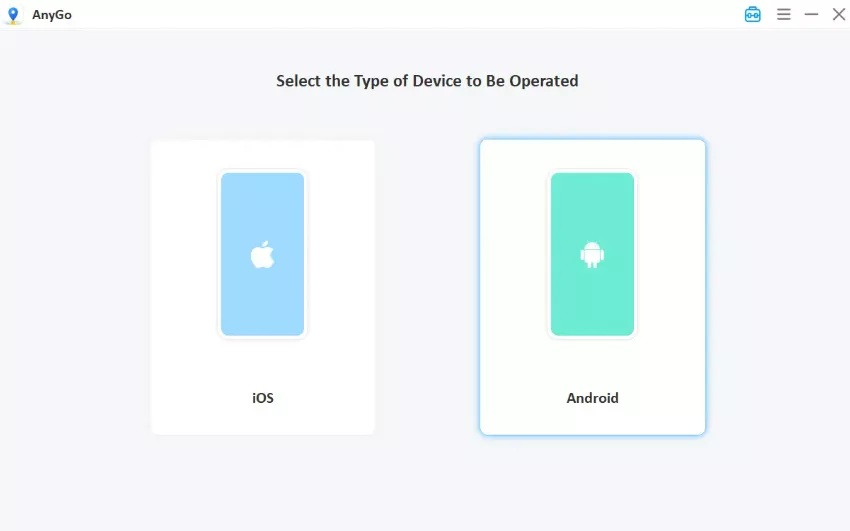
- Download iToolab AnyGo for Windows or Mac from the official website, install it, and choose General Mode on the start screen.
- Connect your phone to the computer with a USB cable and allow the connection on the phone.
- Click the Teleport icon in the top-right corner, type your destination or drop a pin, then click Go. Your phone GPS will update to the target location immediately.
- To walk a route instead of jumping, choose Two-Spot or Multi-Spot, add your stops, set a speed, and click Go.



Part 6. FAQs About MagicGo
Below are the questions that come up most often about MagicGo.
Q1. Does MagicGo require a computer, or can it run entirely on iPhone?
MagicGo strictly requires a Windows or Mac computer to operate. There is no standalone mobile application, so you must keep your iPhone tethered to the computer to change your location.
Q2. Can MagicGo change location on apps other than Pokémon GO?
Yes. Because MagicGo changes the GPS coordinates at the system level of the iPhone, it affects all location-based apps on the device. This includes dating apps like Tinder, fitness tracking apps, and social media platforms like Snapchat or Life360.
Q3. How many devices can one MagicGo license cover?
One license covers 5 devices plus 1 computer, and the cap is the same whether you buy the 1-month, 1-quarter or 1-year plan. The product page also claims “unlimited phones at once”, but that reads as marketing copy rather than a real number, so plan around 5 devices / 1 PC and confirm the limit at checkout.
Q4. Are LuckLuckGo and MagicGo the same app?
They share a core. MagicGo’s own product page says buyers “can enjoy all of the features LuckLuckGo has to offer”, which tells you the two run on the same engine and differ mainly in branding, pricing and support. Treat them as near-identical for spoofing, and pick whichever is cheaper or better supported in your region.
Q5. Can I get a refund?
Refunds fall under a 30-day money-back guarantee, but only for the cases the policy names; changing your mind is not one of them. A technical refund needs logs or screenshots as proof and 30 days of failed support troubleshooting; if approved, the money returns to the original card or PayPal in 48 to 72 hours and the license is deactivated at once. Test the free trial on your own setup before paying.
Final Thoughts
Mobitrix MagicGo remains a functional desktop spoofer for iOS users looking to play Pokémon GO from home. It offers reliable joystick controls and multi-spot routing. However, its lack of Android support and unclear roadmap for future iOS updates make it a tough sell for many players in 2026.
For those seeking broader compatibility, AnyGo Location Changer for iOS and Android stands out as the superior choice. With support for both iOS and Android, GPX importing, and built-in tools to avoid Error 12, AnyGo provides a much more flexible and powerful experience for modern location-based gaming.