

A tough raid can empty a Revive stash faster than expected. One minute, your battle team looks ready for another round. The next, several Pokémon are fainted and unavailable for another fight. Potions won’t fix that problem because fainted Pokémon need a Revive first.
That makes a steady Pokémon GO Revive supply essential during raids, Gym battles, and Team GO Rocket sessions. Fortunately, Revives come from several free and paid sources across the game. If you want to know how to get Revives in Pokémon GO, this guide explains where to find them and how each source works. It also shows how to stock up efficiently without wasting valuable time.

Part 1: What Is a Revive in Pokémon GO?
A Revive is a healing item for Pokémon whose HP reaches zero after Gym battles or raids. There are two types of revives available in Pokémon GO. A regular Revive restores half of maximum HP. Meanwhile, a Max Revive revives the Pokémon and restores its HP completely.

The table below shows how both Revive types differ and when each works best.
| Type | HP Restored | Available From | How to Get | Best Used For |
|---|---|---|---|---|
| Revive | 50% of maximum HP | Regular gameplay item pools | Gyms, PokéStops, Gifts, research, and selected rewards | Routine recovery when Potions are available |
| Max Revive | 100% of maximum HP | Higher-level rewards and selected item pools | Gifts, research, level rewards, Leaders, and Shop offers | Fast recovery before raids, Gyms, or Rocket battles |
A regular Revive usually needs a Potion afterward for complete recovery. Max Revive handles both recovery steps with a single item instead. That difference becomes valuable when several attackers faint during one battle session.
Part 2: How to Get Revives in Pokémon GO
No single activity guarantees an endless supply of Revives. A smarter strategy combines repeatable free sources with research, friendships, battle rewards, and event bonuses.
1. Spin PokéStops and Gyms
Spinning Photo Discs remains the easiest everyday Revive farming method. Gyms deserve extra attention because their drops favor battle items like Potions and Revives. Team-controlled Gyms can provide additional items during each successful spin.
A stronger Gym Badge can increase those bonus drops further. Therefore, follow a route containing several Gyms instead of waiting beside one location.

2. Open Gifts from Friends
Gifts become especially helpful when nearby PokéStops are limited. Their possible item bundles include regular Revives and Max Revives. Open Gifts regularly before your battle supplies become dangerously low.
An active Friend List increases the chances of replenishing items without visiting many locations. Just make sure your Item Bag isn’t full. Gifts can’t be opened when your inventory is maxed out. Pokémon GO officially confirms that Gifts contain assortments of useful items.

3. Complete Field, Special, and Timed Research
Research tasks can quietly become an excellent source of healing supplies. Certain Field Research and Special Research tasks award Revives or Max Revives. However, individual task rewards change between seasons and events.
Always inspect the displayed reward before deleting a useful task. Timed Research can also offer event-specific items or larger reward bundles. Since Timed Research expires, complete valuable tasks before their stated deadline.

4. Win Raid Battles and Check Max Battle Rewards
Raid Battles can help rebuild your Revive supply while you chase powerful Pokémon. Winning a raid gives special item rewards, and Revives are part of the raid reward system.
Max Battles also provide rewards after defeating a Power Spot Boss, though their standard rewards focus on items like Rare Candy, XP, and Premier Balls. Check event bonuses too, since reward pools can change.

5. Defeat Team GO Rocket Leaders
Team GO Rocket Leaders offer another useful way to collect Revives while battling. Defeat six Grunts to gather Mysterious Components, then combine them into a Rocket Radar to find Arlo, Cliff, or Sierra.
After defeating a Leader, you receive two random reward bundles, which can include four Revives or two Max Revives. If your Item Bag is full when you win, those bundles are skipped, so free up space before challenging a Leader.

6. Earn Trainer Level-Up Rewards
Leveling up gives your Revive stock a welcome boost as you earn more XP. Pokémon GO awards useful items at different Trainer levels, including Revives and Max Revives at selected milestones.
Since the level cap now reaches 80, steady progress can provide extra healing supplies over time. However, level-ups aren’t repeatable on demand, so treat them as bonus restocks rather than your main farming method.

7. Claim Seasonal, Event, and GO Pass Rewards
Limited-time events can create excellent chances to stock extra healing items. GO Pass tracks and event-related bundles sometimes include Max Revives alongside Max Potions. Reward selections can differ significantly between events.
For example, several 2026 GO Pass Web Store offers included five or ten Max Revives.
Check active event information regularly and claim unlocked rewards promptly. Unclaimed GO Pass rewards can also expire after the pass ends, making timely collection important during limited-time events.

8. Receive Presents From Your Buddy
Buddy Presents offer a small but handy chance to pick up extra Revives. Once a Buddy reaches Great Buddy status, it can occasionally bring consumable items while you explore together.
Current game data lists Revives among possible Present rewards, alongside Berries and Hyper Potions. Since Presents arrive randomly, don’t rely on this method alone. Treat them as a useful bonus beside more consistent farming options.

9. Buy Max Revives From the Shop
When battles leave several Pokémon fainted, buying Max Revives can provide an immediate solution. The in-game Shop occasionally bundles Max Revives with other items for PokéCoins, while the Pokémon GO Web Store lists Max Revives for direct purchase with real currency.
Each Max Revive restores a fainted Pokémon to full HP, making paid supplies most useful before raids, Rocket battles, or other sessions where quick recovery matters. Check current offers because item availability and bundles may change over time.

Part 3: Can You Revive Pokémon Without a Revive?
Yes, there are a couple of handy workarounds when your Pokémon GO Revive supply reaches zero. If powering up a fainted Pokémon increases its maximum HP, its current HP increases too, bringing it above zero. You can then use Potions normally. However, a Power Up doesn’t always increase max HP, so the trick may not work on the first try.
Another option is to evolve a fainted Pokémon. Evolving completely refills its HP bar and revives it from a fainted state. This works well on lower-stage Pokémon you were already planning to evolve. Eligible fainted Pokémon can also be fully healed by activating Mega Evolution or Primal Reversion.
Part 4: What’s the Best Way to Get Potions and Revives in Pokémon GO?
Running low on Potions and Revives becomes frustrating when your local area offers limited chances to restock. iToolab AnyGo gives you more flexibility by making it easier to reach locations with better item-farming opportunities. It works on both your phone and computer, so you can set a stable virtual location and expand where you play.
Instead of relying only on what is available nearby, you can reach PokéStop-dense cities and spin far more stops than you could on foot. This makes AnyGo especially helpful if you regularly battle, raid, or face Team GO Rocket and need a steadier supply of healing items.

- Teleport instantly to PokéStop‑rich zones across the world.
- Plan two‑spot & multi‑spot routes with adjustable speed to spin stops automatically.
- Enable auto‑catch and auto‑spin to harvest healing items hands‑free.
- Change iPhone location in official apps with Native Mode.
- Work well with location-based social apps and AR games.
- Run seamlessly on Windows, Mac, iOS and Android platforms.
- Fully support the latest iOS 27/Android 17.
How to Farm Plenty of Potions and Revives With AnyGo
Step 1 Download and install iToolab AnyGo on your Windows or Mac computer. Launch AnyGo and select General Mode.

Step 2 Connect your iPhone or Android phone to your computer with a USB cable.
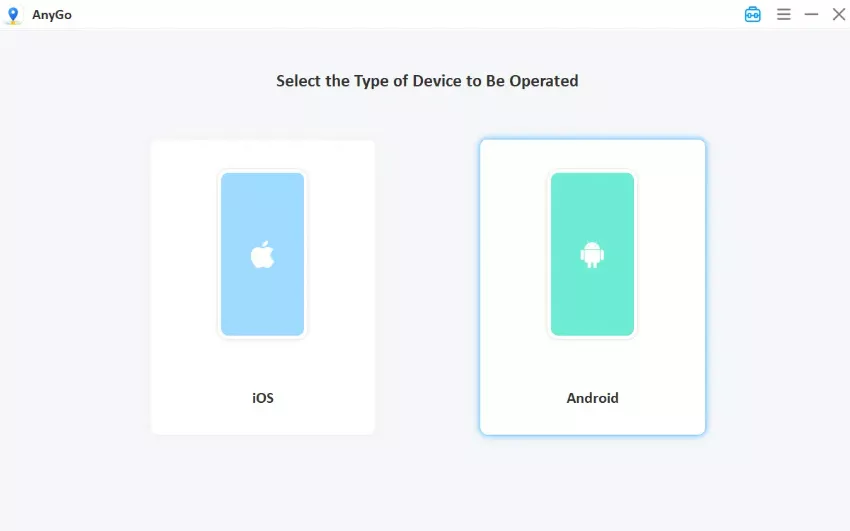
Step 3 Search for a city known for dense PokéStops and Gyms, then click “Go.” Your phone now reports a strong location in that area. Then open Pokémon GO, your avatar will be standing in the chosen area, ready to spin PokéStops and collect Revives and Potions.

Part 5: How to Use Revives in Pokémon GO
Once you have a steady Pokémon GO Revive stash, using them correctly saves items and keeps your battle team ready. Here is how to apply a Revive in a few quick steps:
- From the Map View, tap the Main Menu to open your available game options.
- Tap Items, then find a Revive or Max Revive inside your Item Bag.
- Select the Revive, then tap the fainted Pokémon you want to restore. You can also choose Revive All when several Pokémon need recovery.

Conclusion
Keeping a steady Pokémon GO Revive supply makes raids, Gym battles, and Team GO Rocket fights much easier to manage. Regularly spinning PokéStops and Gyms, opening Gifts, completing research, and claiming event rewards can help you restock without relying on one source. However, these methods become less convenient when useful locations are scarce nearby.
For players who want to reach the best farming spots without walking for miles, AnyGo Location Changer for Pokémon GO makes it simple. It lets you explore resource-rich areas, plan custom walking routes, and search for active raids from one place. With its teleport and cooldown features, AnyGo helps you collect healing items more efficiently so your battle team is always ready. Try iToolab AnyGo today and never run out of Revives again!