

Imagine walking up to a glowing Power Spot, ready to challenge a towering Dynamax boss, only to find your standard attacks barely scratch the boss while your vital secondary Max Moves remain locked.
Wasting daily Max Particles is frustrating. As Max Battles grow tougher, unlocking these high-impact attacks requires a systematic approach. This guide breaks down exactly how to unlock a Max Move in Pokémon GO in 2026 so you can dominate every Dynamax battle.

Part 1. What Are Max Moves in Pokémon GO?
Max Moves are strong, specialized attacks that only Dynamax or Gigantamax Pokémon can use during Max Battles. Unlike standard Fast or Charged Attacks, these colossal abilities activate exclusively when your Pokémon transforms inside an active Power Spot.
They provide major tactical advantages, letting you hit hard, block devastating boss strikes, or restore health to your team. Ultimately, these moves are essential tools for defeating high-tier giant bosses.
The Three Core Max Move Types
Every Dynamax or Gigantamax Pokémon can use three distinct types of Max Moves to shift the tide of battle in your favor:
- Max Strike: A high-impact offensive strike matching the specific elemental type of your Pokémon’s Fast Attack.
- Max Guard: A protective shield that sharply reduces incoming damage from boss attacks.
- Max Spirit: A supportive healing move that recovers health for both your active Pokémon and your battle allies.

Upgrade Levels and Progression
Maximizing your battle efficiency requires powering up your moves across three distinct tiers using collected resources:
- Unlock (Level 1): Your primary Max Attack is unlocked by default, while Max Guard and Max Spirit must be manually unlocked using Candy and Max Particles.
- Level 2: Increases the effectiveness of your Max Move, boosting its damage, shield strength, or healing output.
- Max (Level 3): Reaches peak performance, delivering the strongest possible version of your Max Move.

Part 2. How to Unlock a Max Move in Pokémon GO
Unlocking your Pokémon’s hidden potential transforms them into powerful raid assets. While your Pokémon automatically knows a basic Max Attack, expanding your tactical toolkit requires manual activation. Fortunately, the process is straightforward, and you can access advanced abilities in just a few steps. Here is what you need to prepare before getting started.
What You Need Before Unlocking a Max Move
Before diving in, you might wonder: How do you unlock a Max Move in Pokémon GO efficiently?
First, ensure you have caught a valid Dynamax or Gigantamax Pokémon.
Next, collect enough Max Particles by exploring local Power Spots or completing walking tasks.
Finally, gather standard Candy for upgrading Levels 1-2. When you target the peak tier, you will specifically need Candy XL for Level 3 (Max). Having these resources ready means you can upgrade your Max Moves without delay.

Step-by-Step Guide to Unlocking a Max Move
Everything is prepared, so let’s get right to it—How do you unlock a Max Move in Pokémon GO? The entire process takes less than a minute.
- Open the Max Move menu: Go to your chosen Pokémon’s profile and scroll down to the Max Move section.
- Choose which Max Move to unlock: Evaluate your team’s needs and select either Max Guard for defense or Max Spirit for healing.
- Confirm the unlock: Spend the required Max Particles and Candy to confirm your selection.
- Verify your new Max Move: Check the updated move list on your Pokémon’s profile to make sure it is ready for battle.

Part 3. How to Level Up a Max Move in Pokémon GO
Ready to boost your combat performance? Follow these steps to level up a Max Move in Pokémon GO efficiently:
- Select your Pokémon: Open your Pokémon storage and pick an eligible Dynamax or Gigantamax Pokémon.
- Access the Max Move panel: Scroll below your standard Charged Attacks to find the Max Move upgrade section.
- Choose your target: Tap the Max Strike, Max Guard, or Max Spirit you want to upgrade.
- Confirm the upgrade: Make sure you have the required materials, then tap the upgrade button to level it up.
Investing your resources systematically ensures your team stays prepared for high-tier challenges.
Max Move Upgrade Costs: Full Resource Table
Upgrading your Max Moves requires managing your resources carefully. Knowing exactly how many materials each tier demands prevents you from running out mid-event.
The table below outlines the specific items needed to power up Dynamax or Gigantamax moves.
Note: Your primary Max Attack starts at Level 1 automatically when you catch the Pokémon. You only need to pay for unlocking Max Guard and Max Spirit.
Part 4. Farm Max Particles and Candy Without the Daily Grind
To level up Max Moves, you need large amounts of Max Particles and Candy. Hitting the 800 Max Particles daily cap often requires visiting 4-5 Power Spots and walking more than 2 kilometers every day, an exhausting routine for busy players.
That’s where iToolab AnyGo, a location changer for Pokémon GO, can help. Instead of walking long distances outdoors in bad weather, you can change your GPS location with a single click and simulate natural movement from home. With custom speed controls, a built-in joystick, and a cooldown timer, you can farm Power Spots, collect items, and hatch eggs without stepping outside.
- Instantly change your GPS coordinates to popular, high-density locations and harvest Max Particles from clustered Power Spots.
- Import GPX files to trigger the 300 Max Particles walking reward per loop hands-free.
- Scan for Power Spots hosting Dynamax or Gigantamax raids. Teleport straight to those coordinates to defeat bosses and quickly accumulate Candy.
- Connect your simulated routes with GO Catcher to capture wild spawns and spin nearby PokéStops, automatically gathering Candy and Berries as you move.
- Run seamlessly on Windows, Mac, iOS, and Android devices.
- Fully support the latest iOS 27/Android 17.
How to Hit the 800 Max Particles Daily Cap with AnyGo
Step 1 Download and install iToolab AnyGo on your Windows or Mac computer.

Step 2 Connect your iPhone or Android phone to your computer with a USB cable.
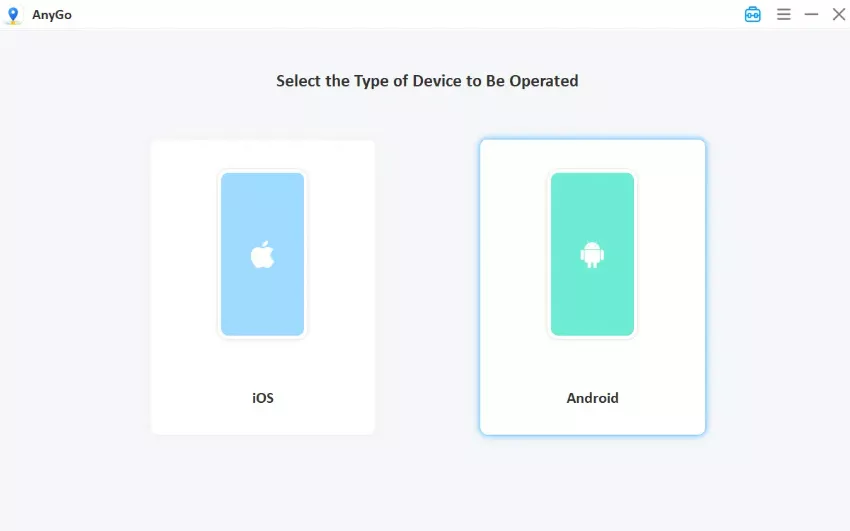
Step 3 Search for a Power Spot location or paste the coordinates you want into the search bar, then click Go. Your GPS location updates instantly. Open Pokémon GO and you’ll see your avatar appear at the chosen hotspot — ready to collect Max Particles and join Max Battles.

Conclusion
Unlocking and upgrading your Pokémon’s Max Moves is the key to conquering high-tier Dynamax and Gigantamax battles. However, gathering the massive piles of Candy, Candy XL, and Max Particles required can quickly turn your gaming sessions into an exhausting physical chore.
If you want to bypass the daily walking grind and hit your resource caps effortlessly, iToolab AnyGo Location Spoofer is the perfect partner. By automating your routes and safely teleporting you to high-density Power Spot hotspots from home, this tool ensures you never miss a powerful upgrade. Download AnyGo today to instantly boost your team’s combat potential!