

Finding Zygarde Cells in Pokémon GO can feel like chasing something just out of reach. You walk a Route, watch the map, and hope for the best. Sometimes it does. Sometimes it doesn’t. But once you understand how Routes, daily limits, and Cell spawns work, your chances get a lot better.
This guide covers how to get Zygarde Cells, the best farming strategies, and a practical way to manage Routes more efficiently.

Part 1. What Are Zygarde Cells in Pokémon GO?
Zygarde Cells are special components used to change Zygarde’s Forme in Pokémon GO. You collect them primarily while following Routes, and the Cells are stored inside your Zygarde Cube. Unlike Stardust or Pokémon Candy, you won’t get them from catching, battling, or spinning PokéStops.
Zygarde does not evolve like a regular Pokémon. Instead, it changes between three distinct Formes. You initially encounter Zygarde in its dog-like 10% Forme through the From A to Zygarde Special Research. You must collect Cells to unlock its larger and more powerful Formes.

The 200 Cells required for Complete Forme are collected after spending 50 Cells on the first Forme change. Therefore, reaching Complete Forme from the starting 10% Forme requires 250 Zygarde Cells altogether.
Each Forme has different stats and battle performance. The Complete Forme offers Zygarde’s greatest overall power and durability, but reaching it requires a long-term commitment to walking Routes and collecting Cells consistently.
Part 2. Zygarde Cell Rules and Farming Strategy
Before you start grinding Routes all day, you need to understand the limits. Pokémon GO does not reward Zygarde Cells endlessly. That means your Route choice, walking pace, and daily plan all matter more than brute force.

💡The 3-Cell Daily Limit Shapes Your Timeline
You can only collect up to 3 Zygarde Cells per day. That means your progress depends on planning, not nonstop grinding. Once you reach the daily cap, extra Routes will not yield any more Cells until the next reset. So it’s better to focus on the best Routes first and use your daily attempts wisely.
💡Each Route Only Drops a Cell Once Per Day
A single Route does not keep giving Cells all day long. If you finish the same Route again, it will not reward you a second time that day. This is why having a few different Routes ready is so important. Think of it like a one-time ticket, not an all-you-can-eat buffet.

💡Beware the Loop Trap
Loop Routes may look efficient at first, but they can trick you into repeating low-value runs. If a Route is too short or repetitive, you may spend more time restarting the route than actually making progress toward Cells. A smarter approach is to mix Routes that give you a clean path and steady movement.
💡Shorter Routes Are More Efficient
Shorter Routes often work better because you can complete them faster. You spend less time walking and more time checking new Routes. It keeps each session feeling smooth instead of exhausting. If you want steady progress, a short Route can be a smarter choice than a long one.
💡Maintain a Natural Walking Speed
Staying under 10 km/h helps the game track your Route progress properly. Moving too fast may prevent Cells from spawning. Don’t race through it. Walk at a natural speed and let the process work.
💡Create Backup Routes If Your Area Is Dry
Some areas simply do not have enough good Routes nearby. If that happens, you need backups. Save a few strong Routes in nearby locations so you always have something ready. That way, you don’t get stuck waiting for one area to work out.
Part 3. How to Get Zygarde Cells in Pokémon GO
Zygarde Cells can appear while you are actively following Routes in Pokémon GO. They are not guaranteed on every Route, so take your time, follow the path carefully, and check the map before finishing.

1. Choose a Practical Route
Open the Nearby menu, select the Route tab, and choose an available path. Short, safe, and straightforward Routes are usually better for farming because you can complete more of them without wasting time on confusing turns.
2. Start the Route and Follow the Marked Path
Travel to the starting point and begin the Route inside the app. Stay reasonably close to the marked path and confirm that the Route remains active as you walk. There is no need to rush, as long as you stay under 10 km/h, your Route progress will track normally.
3. Watch for a Glowing Green Cell
Keep an eye on the map while following the Route. A Zygarde Cell appears as a small, glowing green spot rather than a standard item bubble. Tap it when you see it so the Cell can be added to your Zygarde Cube.

4. Check the Map Before Completing the Route
When you reach the endpoint, pause and inspect the nearby map before pressing the button to finish. Routes do not complete automatically, which gives you a chance to grab any Zygarde Cell you may have missed.
5. Try Another Route When Necessary
A Cell may not appear on every attempt. After completing one Route, move to another suitable Route and repeat the process, as long as you haven’t reached the daily Cell limit. Choosing several nearby Routes can make your daily farming routine faster and more organized.
Part 4. Farm Zygarde Cells in Pokémon GO on Routes Without Walking
Not everyone has time to walk Routes every day. Bad weather, busy schedules, or simply living in an area with few Routes can make Cell farming feel impossible. iToolab AnyGo, a location changer for Pokémon GO, gives you a way around this. It lets you explore Route-heavy areas from your computer, no need to physically travel there.
For Zygarde Cell farming, this matters because more Routes means more chances to find Cells. Instead of depending only on your local map, you can reach areas with better Route density and manage your farming routine more easily.
- Newly released Native Mode: spoof iOS location without modded apps for all LBS apps safely.
- Teleport to high-density Routes zones to boost Zygarde Cell drop chances.
- Import custom routes to reuse high-yield cell-farming paths.
- Work well with location-based social apps and AR games.
- Run seamlessly on Windows, Mac, iOS, and Android devices.
- Fully compatible with iOS 27 / Android 17.
AnyGo Features for Faster Cell Farming
Here’s what AnyGo can do to help you cover more Routes and collect Cells efficiently.
- Teleport to Route-Dense Areas: Jump straight to a new coordinate and start farming without any actual travel. Before teleporting, it’s smart to check whether that area has active Pokémon GO Routes.
- Two-Spot or Multi-Spot Mode with Adjustable Speed: Set a simple path between two points or chain several locations together for a longer Route. Adjust your walking speed to stay under 10 km/h, so the game tracks your Route progress properly.
- Import GPX Route Files: Load a pre-made path instead of building one from scratch each time. If you’ve found a Route that consistently spawns Cells, save it as a GPX file and reuse it for your daily farming.
How to Use AnyGo to Follow a Route and Farm Zygarde Cells
Step 1 Download and install iToolab AnyGo on your Windows or Mac computer.

Step 2 Connect your iPhone or Android phone to your computer with a USB cable.
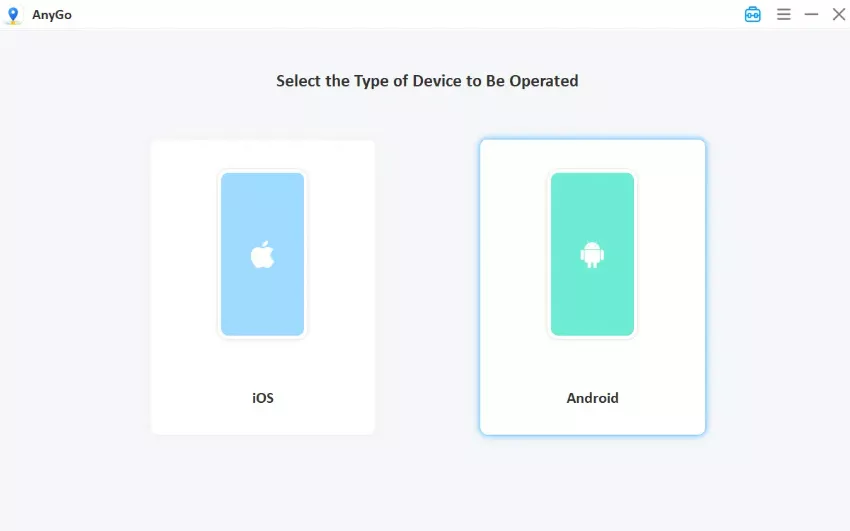
Step 3 Choose Two-Spot or Multi-Spot mode, set your start and end points on a Route-heavy area, and adjust the walking speed to stay under 10 km/h. Hit Go.

Step 4 Switch back to Pokémon GO. Your avatar will be walking along the Route, and any glowing green Cell that appears is yours to tap.

Part 5. Pokémon GO Zygarde Cells FAQs
Still have questions about Zygarde Cells? Here are some of the most common ones players ask.
Q1. Is the From A to Zygarde Research still available?
Yes. “From A to Zygarde” is a permanent Special Research in Pokémon GO. It is available to all players, so you can continue it anytime from your Special Research tab.
Q2. Do Cells respawn daily on the same Route?
No. A Route can only give you a Cell the first time you walk it each day. If you walk the same Route again, it will not spawn another Cell until the daily reset. That’s why rotating between different Routes is the smarter approach.
Q3. Can I change Zygarde back to a previous form?
Yes, you can revert Zygarde to a previous Forme. It costs 10 Zygarde Candy and 2,000 Stardust each time. However, the Cells you spent are not refunded. You will need to collect them again to upgrade back. Think carefully before reverting.
Q4. Can Zygarde be traded?
No. Zygarde cannot be traded in Pokémon GO. You can only get one through the From A to Zygarde Special Research, so you’ll need to build your own progress from scratch.
Q5. Can I get multiple Zygarde?
No. You can only obtain one Zygarde through the Special Research. Focus on powering up and changing the form of the one you have instead of expecting to catch more.
Conclusion
Zygarde Cells in Pokémon GO may seem confusing at first, but the system becomes much easier once you understand Routes, daily limits, and the value of smart planning. The key is not just collecting Cells, but collecting them efficiently. Short Routes, careful pacing, and backup options can make a big difference over time.
If you want to reach Route-heavy locations without being limited by your local area, AnyGo Location Changer gives you a practical way to collect Cells without walking outside. Try AnyGo today and finish your Zygarde grind faster!